
Kubernetes Events
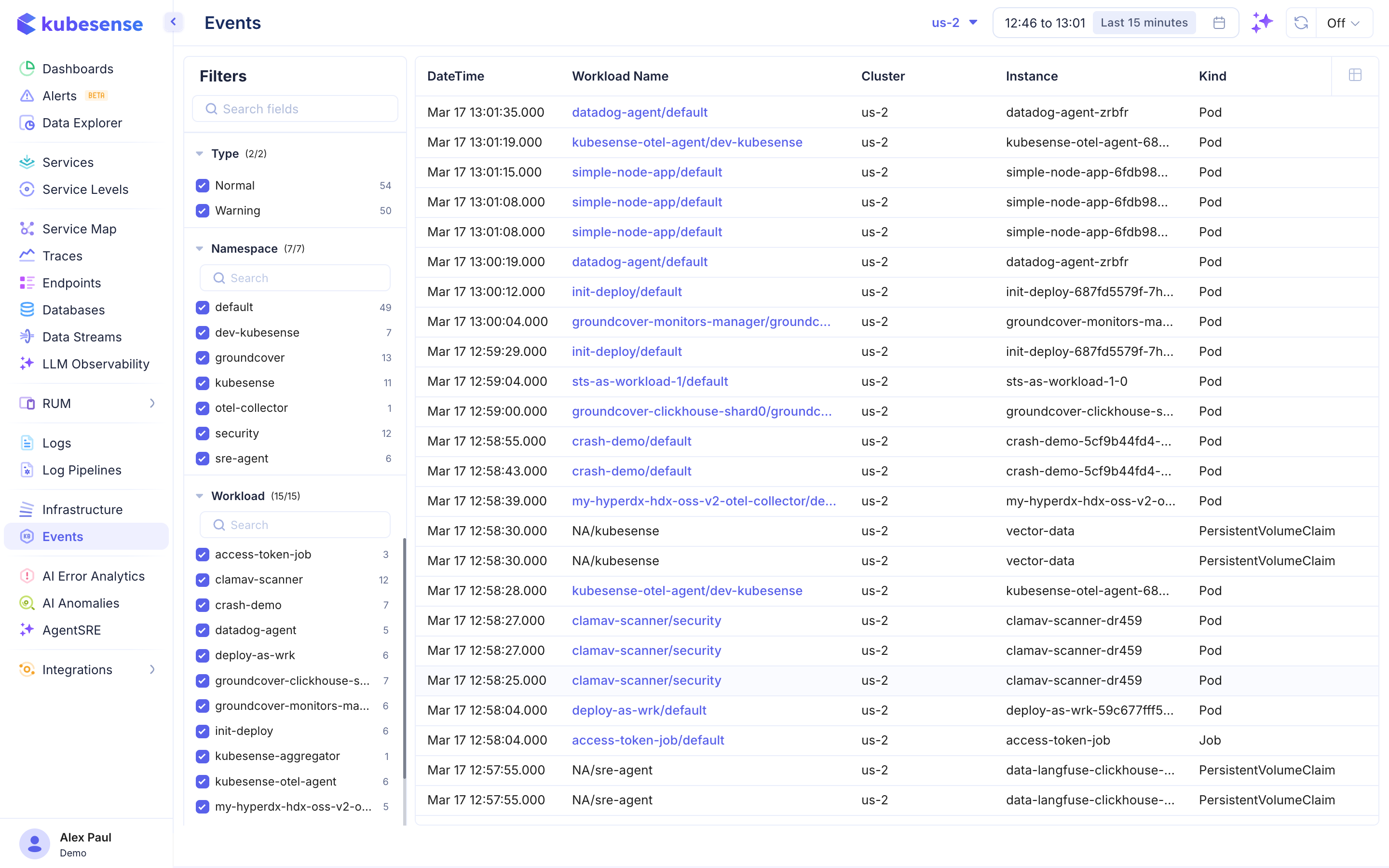
The Events page provides a real-time stream of all Kubernetes events occurring in your cluster, essential for debugging and understanding cluster state changes.
Overview
Kubernetes events are generated whenever something notable happens in your cluster — a pod is scheduled, a container crashes, a volume is attached, or a deployment rolls out. The Events page aggregates all these events in a searchable, filterable view.
Event Table
Each event row displays:
| Column | Description |
|---|---|
| DateTime | When the event occurred |
| Workload Name | The workload associated with the event |
| Cluster | Cluster where the event originated |
| Instance | The specific resource instance (e.g., pod name) |
| Kind | Kubernetes resource kind (Pod, PersistentVolume, PersistentVolumeClaim, Job, etc.) |
Filters
The left panel provides filtering by:
Type
- Normal — Standard operational events (scheduling, pulling images, starting containers)
- Warning — Events that indicate potential issues (failed scheduling, crash loops, resource limits)
Namespace
Filter events by Kubernetes namespace (e.g., default, kube-system, kubesense).
Workload
Filter by specific workload name.
Use Cases
- Debugging pod failures — Find CrashLoopBackOff, OOMKilled, or ImagePullBackOff events
- Deployment monitoring — Track rolling update progress and rollback events
- Storage issues — Identify PersistentVolume mount failures or capacity issues
- Node problems — Detect node pressure conditions, evictions, or scheduling failures
- Security monitoring — Watch for unauthorized access attempts or RBAC denials