
Kubernetes Resources
The Infrastructure page provides a comprehensive view of all Kubernetes resources in your cluster, organized by resource type tabs.
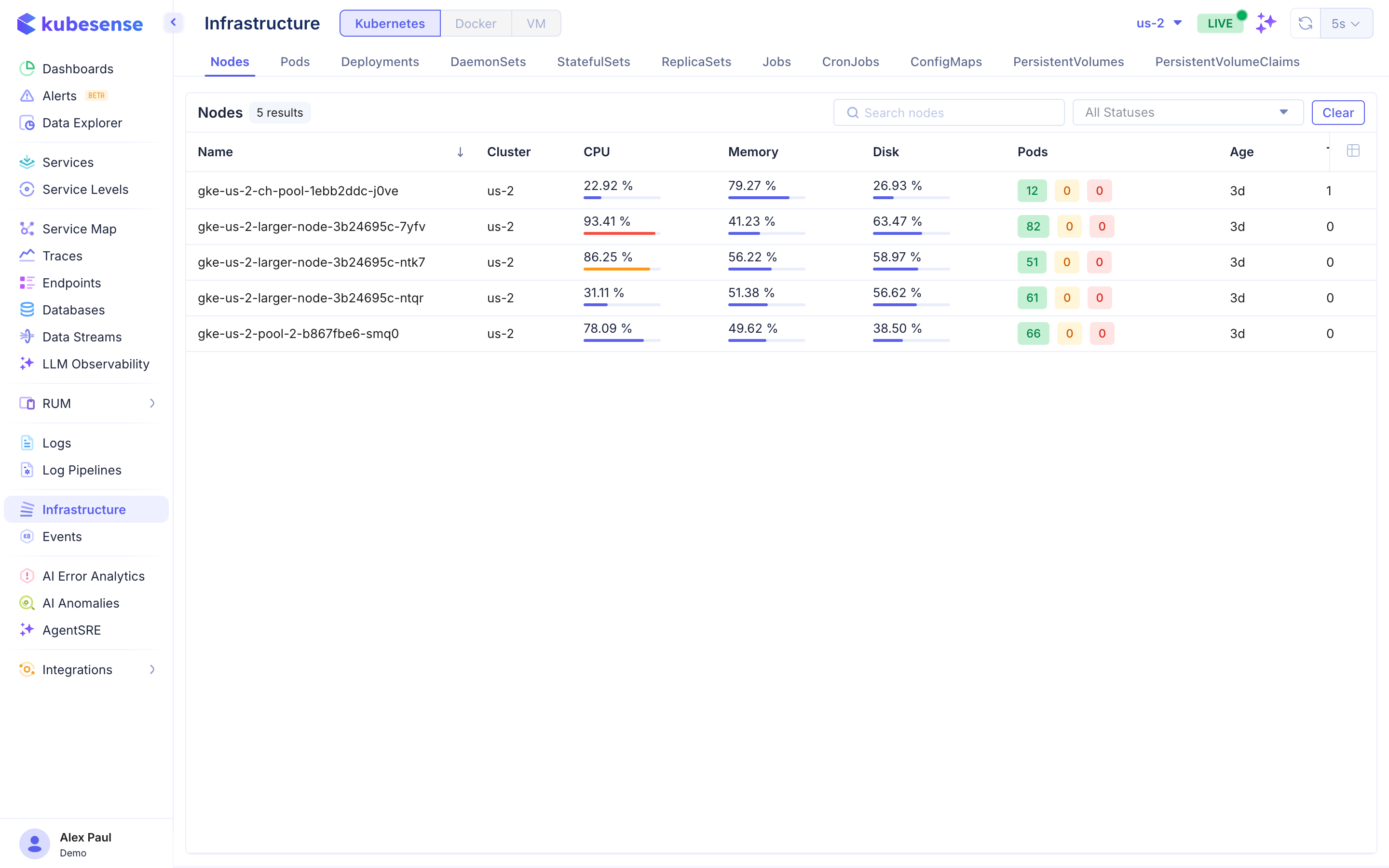
Overview
The Infrastructure page supports three environment types:
- Kubernetes — Kubernetes cluster resources
- Docker — Docker container monitoring
- VM — Virtual machine monitoring
For Kubernetes environments, resources are organized into tabs across the top of the page.
Resource Tabs
Nodes
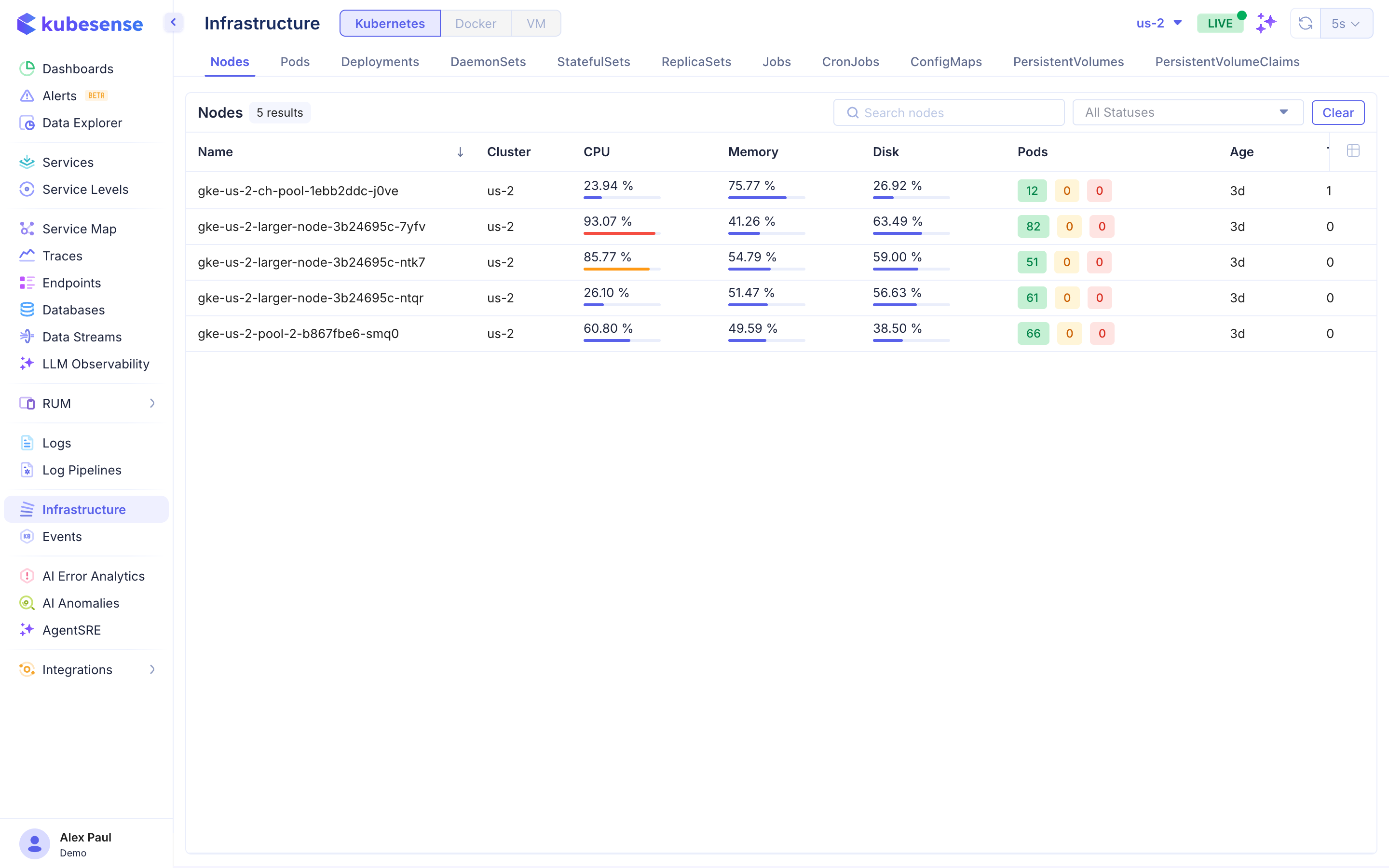
Monitor the health of your cluster nodes:
| Column | Description |
|---|---|
| Name | Node name |
| Cluster | Cluster the node belongs to |
| CPU | Current CPU utilization percentage |
| Memory | Current memory utilization percentage |
| Disk | Current disk utilization percentage |
| Pods | Number of pods running on the node (with ready/not-ready/warning counts) |
| Age | Time since the node was created |
| Taints | Number of taints on the node |
Pods
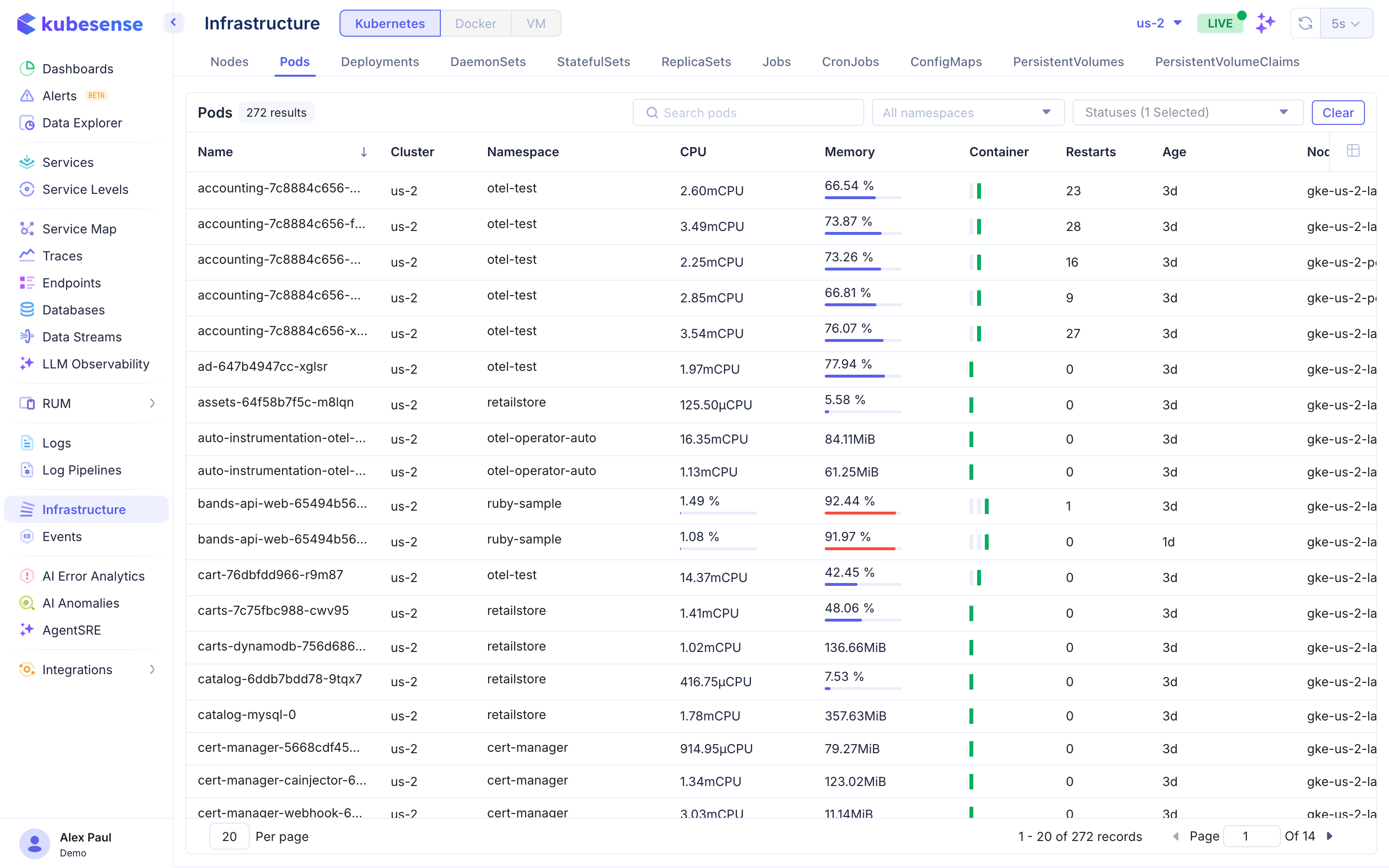
View all pods across your cluster:
| Column | Description |
|---|---|
| Name | Pod name |
| Cluster | Cluster name |
| Namespace | Kubernetes namespace |
| CPU | CPU request and utilization |
| Memory | Memory utilization percentage |
| Container | Number of containers in the pod |
| Restarts | Container restart count |
| Age | Pod age |
| Node | Node the pod is running on |
Deployments
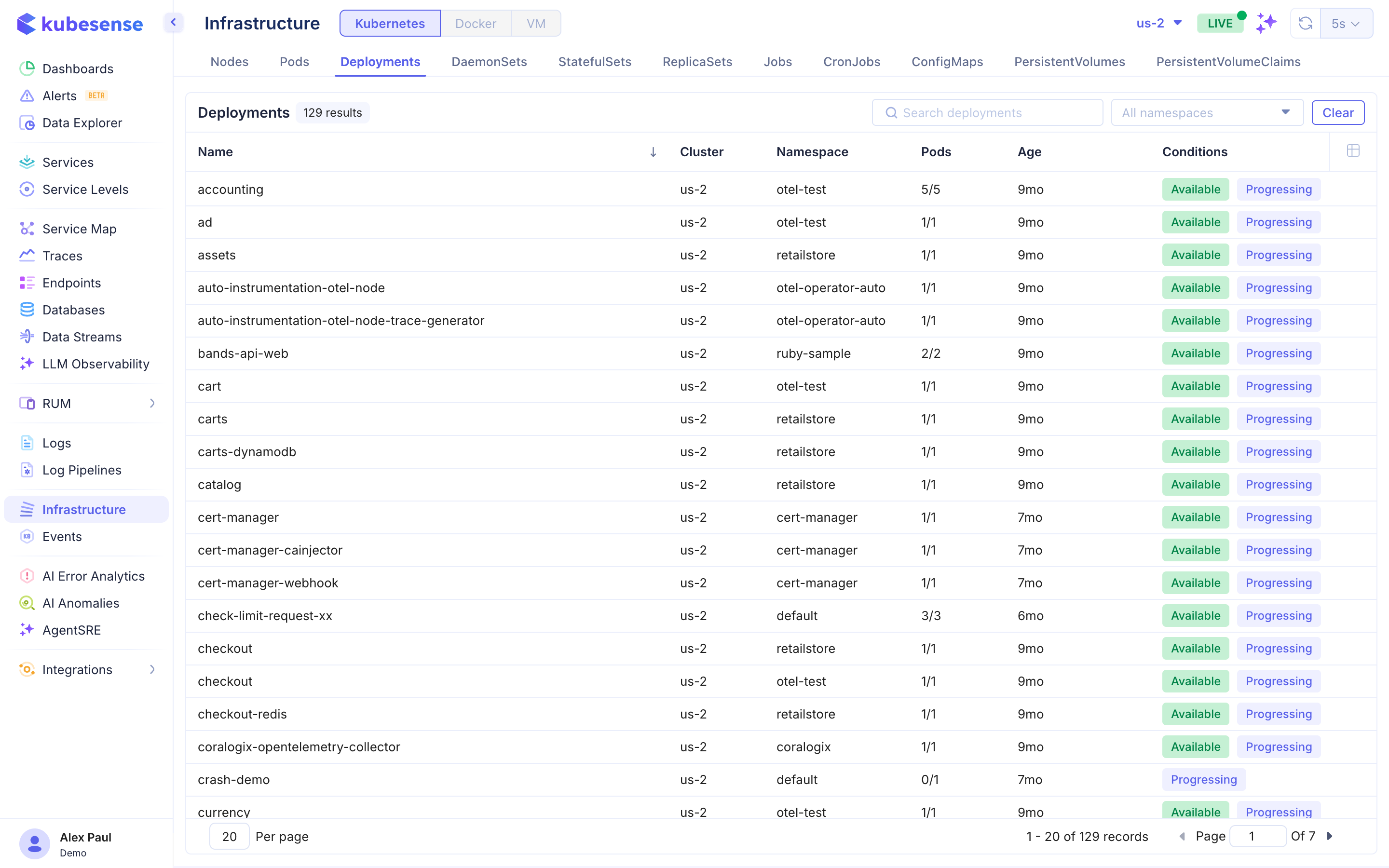
Monitor all deployments:
| Column | Description |
|---|---|
| Name | Deployment name |
| Cluster | Cluster name |
| Namespace | Kubernetes namespace |
| Pods | Ready/total pod count |
| Age | Deployment age |
| Conditions | Available and Progressing status |
DaemonSets
Track DaemonSets with desired vs. ready pod counts, node selector status, and age.
StatefulSets
Monitor StatefulSets with replica counts, ready status, and update strategy information.
ReplicaSets
View ReplicaSets with desired, current, and ready replica counts.
Jobs
Track Job completion status, duration, and success/failure counts.
CronJobs
Monitor CronJob schedules, last run time, and next scheduled execution.
ConfigMaps
List ConfigMaps with namespace, data key count, and age.
PersistentVolumes
View PersistentVolume capacity, access modes, reclaim policy, storage class, and status.
PersistentVolumeClaims
Monitor PVC status, capacity, access modes, and bound PersistentVolume.
Filters
- Search — Filter resources by name
- Status filter — Show all statuses or filter to specific conditions (Ready, Not Ready, etc.)
- Cluster selector — Switch between clusters
- LIVE toggle — Enable real-time updates
Pagination
For tabs with many results, pagination is available at the bottom of the table (e.g., "1 - 20 of 272 records").