

Sensitive Data Scanner
Find card numbers, national IDs, API keys and other sensitive data in stored logs, see which services leak it, and mask it with a log pipeline Protect rule.
The Sensitive Data Scanner finds sensitive data in the logs you already store — card numbers, national IDs, email addresses, API keys, tokens, private keys and more — and tells you which services leak it. It does not change your logs. When you decide a finding should not be stored in clear text, Protect turns it into a masking rule in a log pipeline in one step.
How It Works
- Choose what to scan. A scanning group selects logs (clusters, namespaces or services) and the rules to run on them, from a library of built-in rules or your own regular expressions.
- The scanner reads stored logs every few minutes (5 by default) and checks each log body against the group's rules. Ingestion is not slowed down: the scan runs on logs after they are stored.
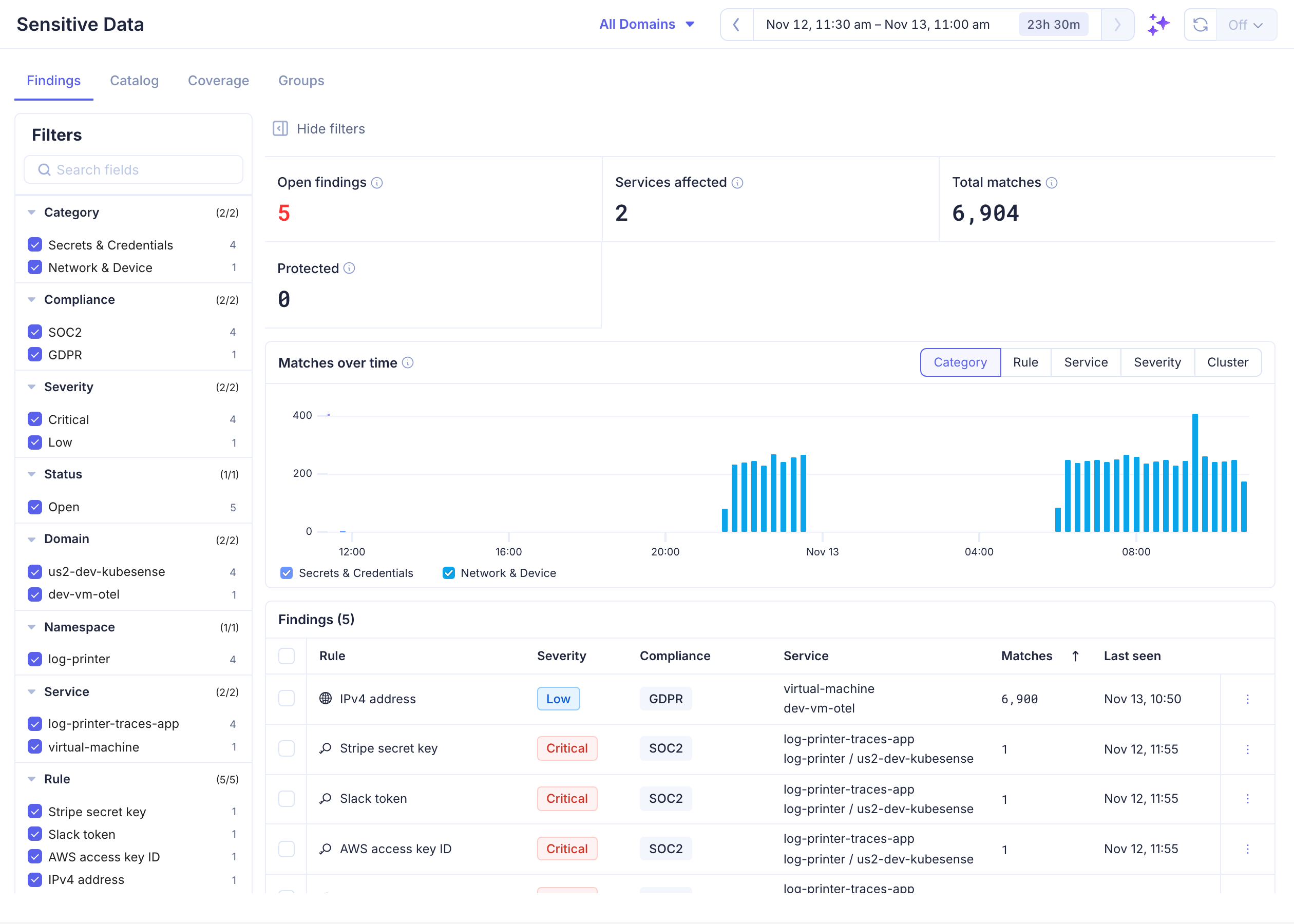
- Each rule matching in a service is a finding. The Findings tab lists them with how often and when they matched.
- Protect what matters. Protecting a finding adds a Protect rule to a log pipeline so new logs from that service are masked. Or Ignore the finding with a reason.
- Check coverage. Coverage shows how much of each service's logs was scanned and how much of what was found is protected.
- Get alerted. Create an alert from a finding or a scanning group to be notified when sensitive data shows up.
Tabs
Open Security > Sensitive Data. Where the Security menu is not enabled yet, it is under Logs > Manage > Sensitive Data.
| Tab | Description |
|---|---|
| Findings | Every rule that matched in a service, with filters, a chart of matches over time, and actions: Protect, Ignore, View logs |
| Catalog | The built-in rule library, by category, with each rule's pattern and validation |
| Coverage | Logs scanned per service, and protection status per category |
| Groups | Scanning groups: which logs are scanned, with which rules, at which sample rate |
What Gets Scanned
- The log body of every log a scanning group selects, including logs from VMs and hosts that have no namespace.
- Logs are scanned by their timestamp, in windows of a few minutes. A new group or rule applies from the next window on; logs that were already scanned are not scanned again.
- Findings and scan statistics are kept for 30 days.
Permissions
| Permission | What it allows |
|---|---|
| Sensitive Data — Read | View findings, the catalog, coverage and scanning groups |
| Sensitive Data — Write | Create and edit scanning groups, Ignore and Reopen findings, Protect findings |
| Log Pipeline — Write, and edit access to the pipeline | Also needed to Protect a finding, since Protect changes a log pipeline |
| Alerts — Write | Create alerts from findings and scanning groups |
Admins can grant Sensitive Data in Settings > Roles. Existing roles start with the same access they have to Log Pipelines.