
Replace
The Replace rule modifies a field's value using a regex match and replacement string. Use it to redact sensitive data, normalize values, fix malformed log structure, or change severity levels.
When to Use
- You need to redact PII (phone numbers, emails, credit cards, API keys) before logs are indexed.
- Log severity values are inconsistent and need normalization (e.g.,
warn→WARNING). - A field contains malformed data that needs cleaning.
- You want to rewrite a field value and optionally store the result in a different field.
Fields
| Field | Required | Description |
|---|---|---|
| Name | Yes | Rule identifier |
| Source Field | No | The field to match against. If empty, the full log body is used |
| Destination Field | No | The field to write the result to. Can be the same as source to overwrite in place |
| Regular Expression | Yes | Pattern to match within the field value |
| Replacement String | Yes | The string to substitute for each match |
How It Works
The rule searches the source field for all matches of the regex pattern and replaces each occurrence with the replacement string. If a destination field is specified, the modified value is written there (leaving the source unchanged). If no destination is specified, the source field is overwritten.
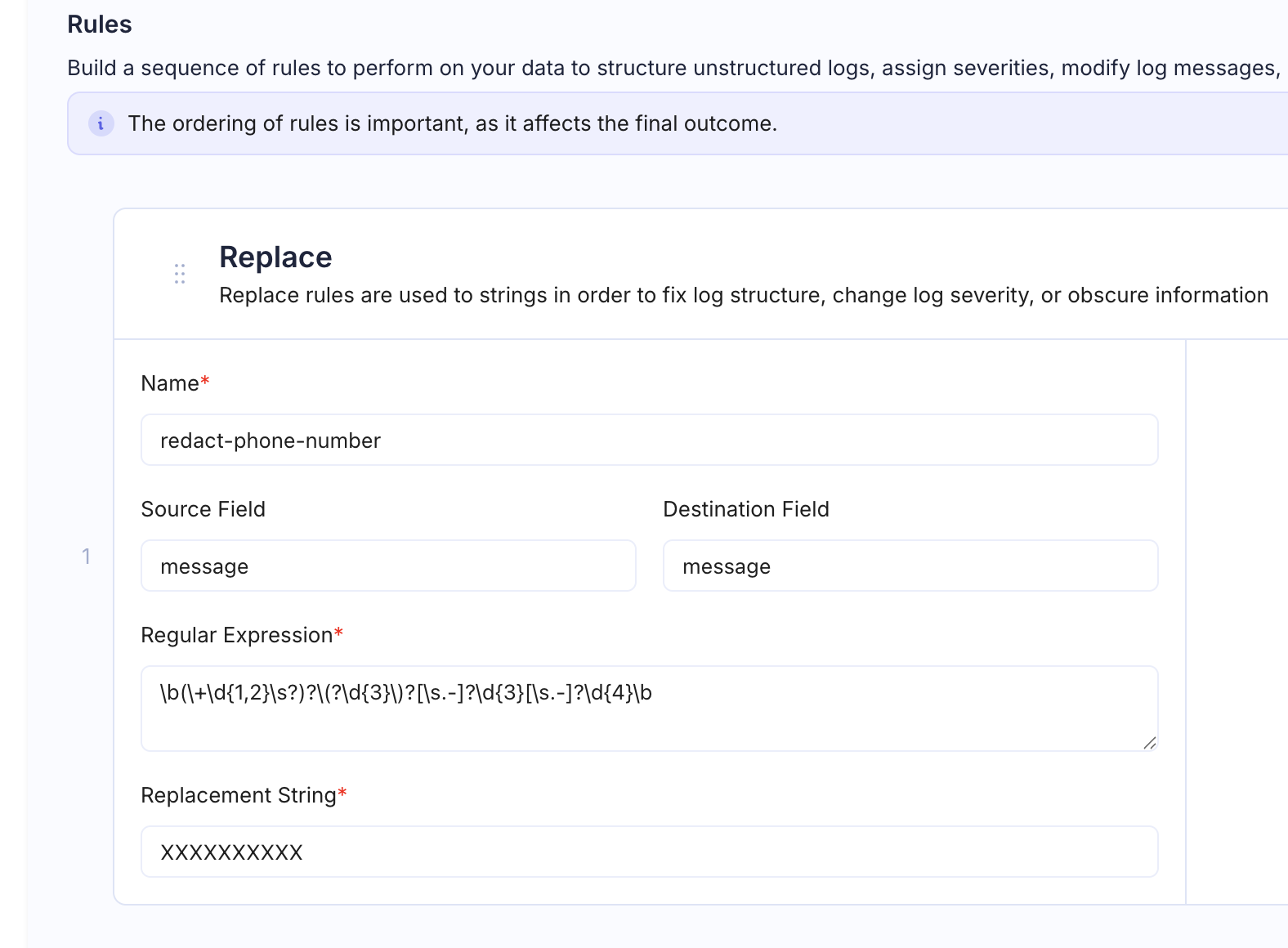
Examples
Redact Phone Numbers
Source log:
User contacted support from 555-123-4567, issue resolved- Regular Expression:
\d{3}-\d{3}-\d{4} - Replacement String:
[PHONE_REDACTED]
Result:
User contacted support from [PHONE_REDACTED], issue resolvedRedact Email Addresses
- Regular Expression:
\S+@\S+\.\S+ - Replacement String:
[EMAIL_REDACTED]
Before: User john.doe@company.com logged in
After: User [EMAIL_REDACTED] logged in
Redact API Keys
- Regular Expression:
api_key=\S+ - Replacement String:
api_key=[REDACTED]
Before: Request failed: api_key=sk_live_abc123xyz789 endpoint=/v2/charge
After: Request failed: api_key=[REDACTED] endpoint=/v2/charge
Normalize Severity Levels
- Source Field:
severity - Regular Expression:
^warn$ - Replacement String:
WARNING
This ensures all logs use a consistent severity naming convention.
Fix Malformed JSON Field
- Source Field:
message - Destination Field:
message - Regular Expression:
\\n - Replacement String:
Replaces escaped newlines with spaces to produce clean single-line messages.
Tips
- The replacement string can reference regex capture groups if needed.
- Use Source Field + Destination Field together to create a cleaned copy while preserving the original.
- Chain multiple Replace rules in a pipeline to handle different PII patterns (see Common Pipeline Patterns).