
Log Pipelines
Log Pipelines allow you to transform, enrich, filter, and process logs before they are indexed. Use pipelines to parse unstructured logs, extract fields, redact sensitive information, block noisy logs, and enrich log data with additional context.
Overview
A pipeline is a Rule Group — a named collection of rules applied to logs from specific workloads or namespaces. Each rule in the group is applied in sequence, and the ordering of rules matters, as each rule operates on the output of the previous one.
Key Concepts
- Rule Group Name — A unique identifier for the pipeline.
- Rule Matcher — A pattern (e.g.,
us-2/log-printer/*,docker-us2/*) that determines which workloads or namespaces this pipeline applies to. Skip the selection to apply the pipeline to all namespaces. - Rules — An ordered sequence of transformations applied to matching logs. Rules are executed top-to-bottom; reorder them by dragging to control precedence.
The ordering of rules is important, as it affects the final outcome. A rule applied earlier may change the log structure that subsequent rules operate on. For example, if you Parse a raw log into JSON first, subsequent Extract or Replace rules can target the newly created fields.
Available Rule Types
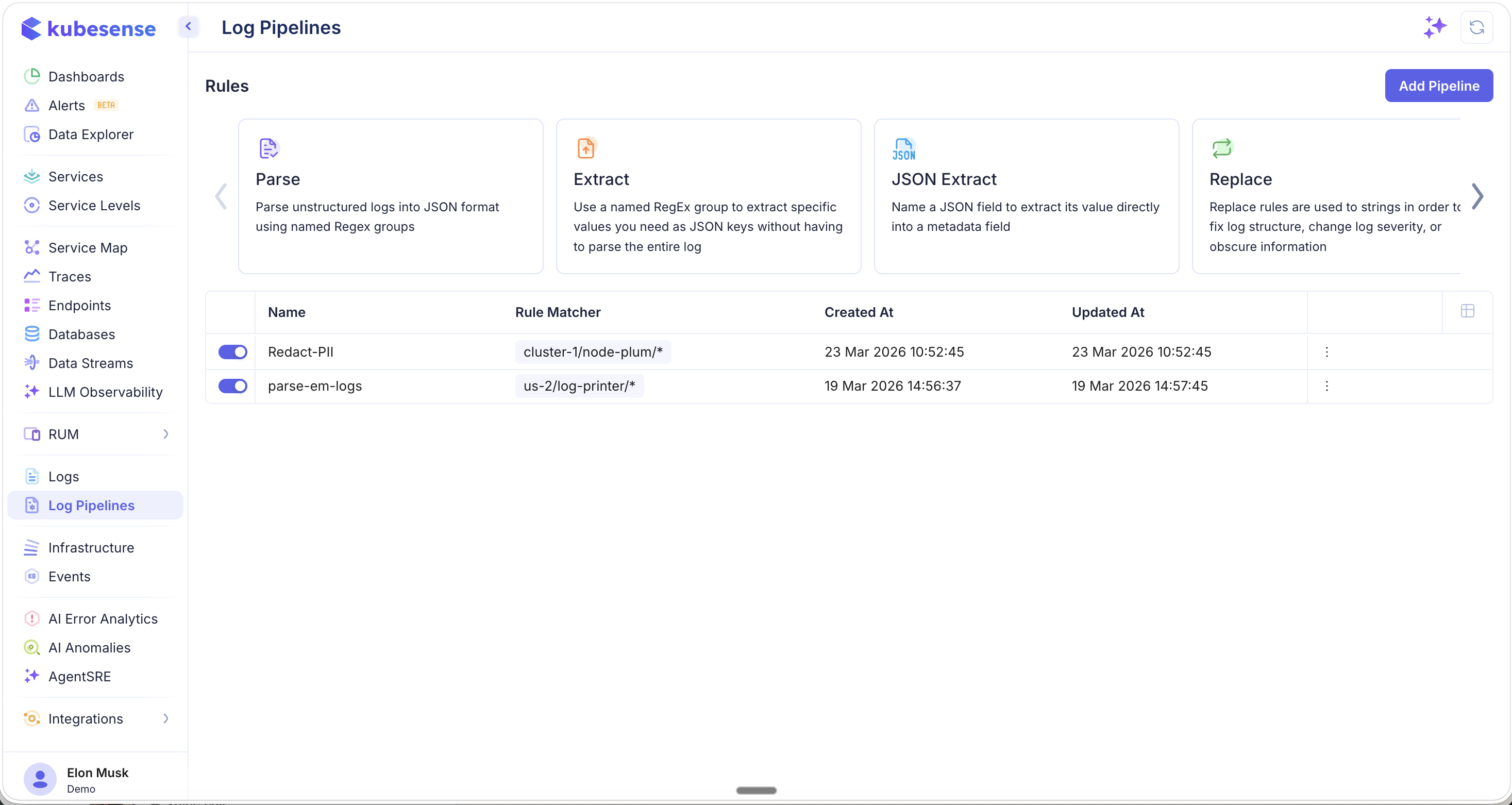
When creating a pipeline, you select from a carousel of available rule types. The first set includes Parse, Extract, JSON Extract, and Replace — the core transformation rules:
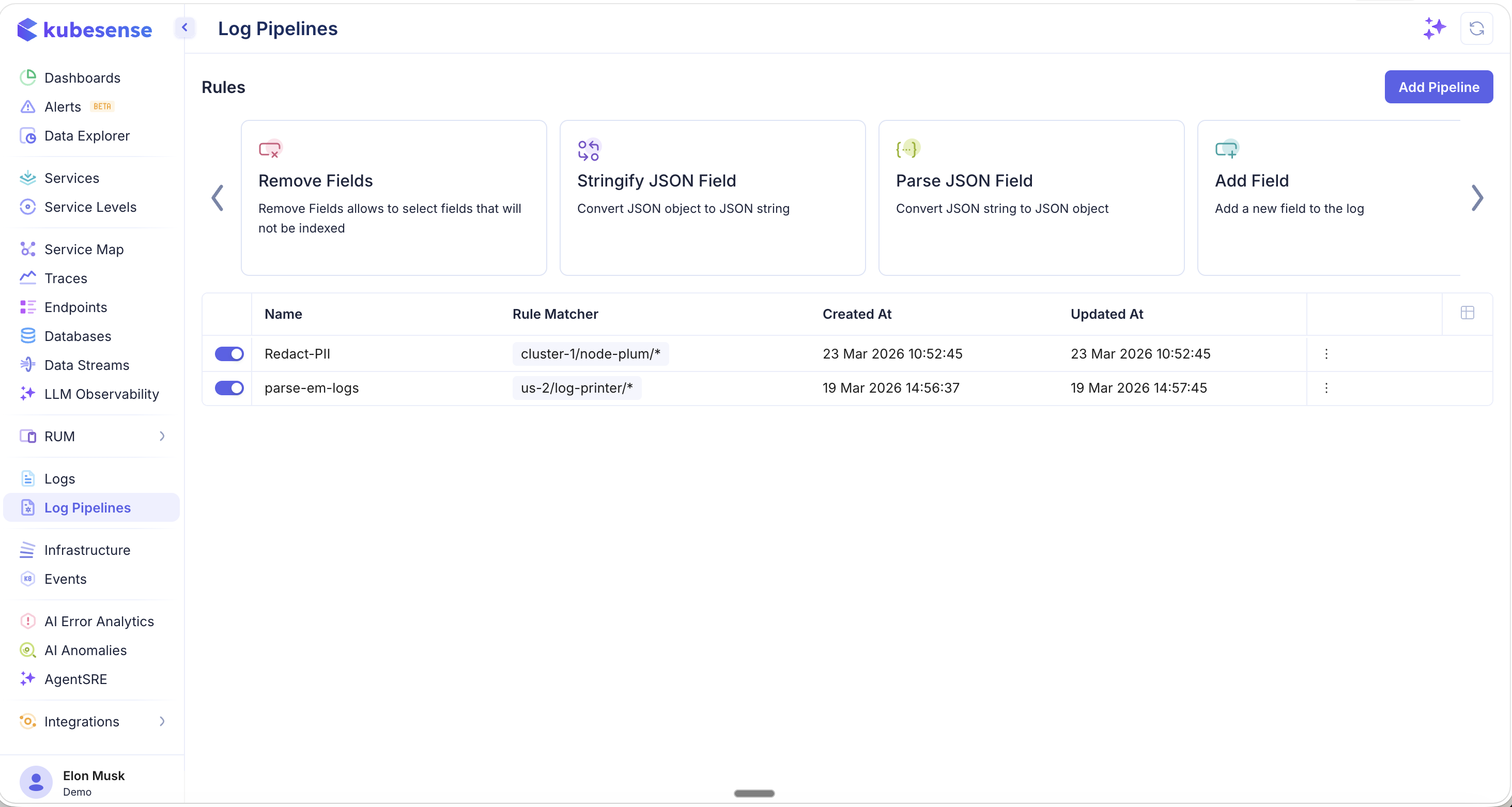
Scroll the carousel to see additional rule types including Remove Fields, Stringify JSON Field, Parse JSON Field, and Add Field:
Choosing the Right Rule
Use this table to quickly decide which rule type fits your scenario:
| I want to... | Use this rule |
|---|---|
| Convert an unstructured text log into structured JSON fields | Parse |
| Pull out one specific value from a log field | Extract |
| Promote a nested JSON key to a top-level metadata field | JSON Extract |
| Redact sensitive data (PII, secrets) or modify a field value | Replace |
| Drop noisy or unwanted logs entirely | Block |
| Use the application's own timestamp instead of ingestion time | Timestamp Extract |
| Remove unnecessary fields before indexing | Remove Fields |
| Enrich logs with a new field (e.g., team, environment) | Add Field |
Pipeline List
The pipeline list shows all configured rule groups with their status, rule matchers, and timestamps. Each pipeline can be enabled or disabled with a toggle, and the three-dot menu provides options to edit or delete.
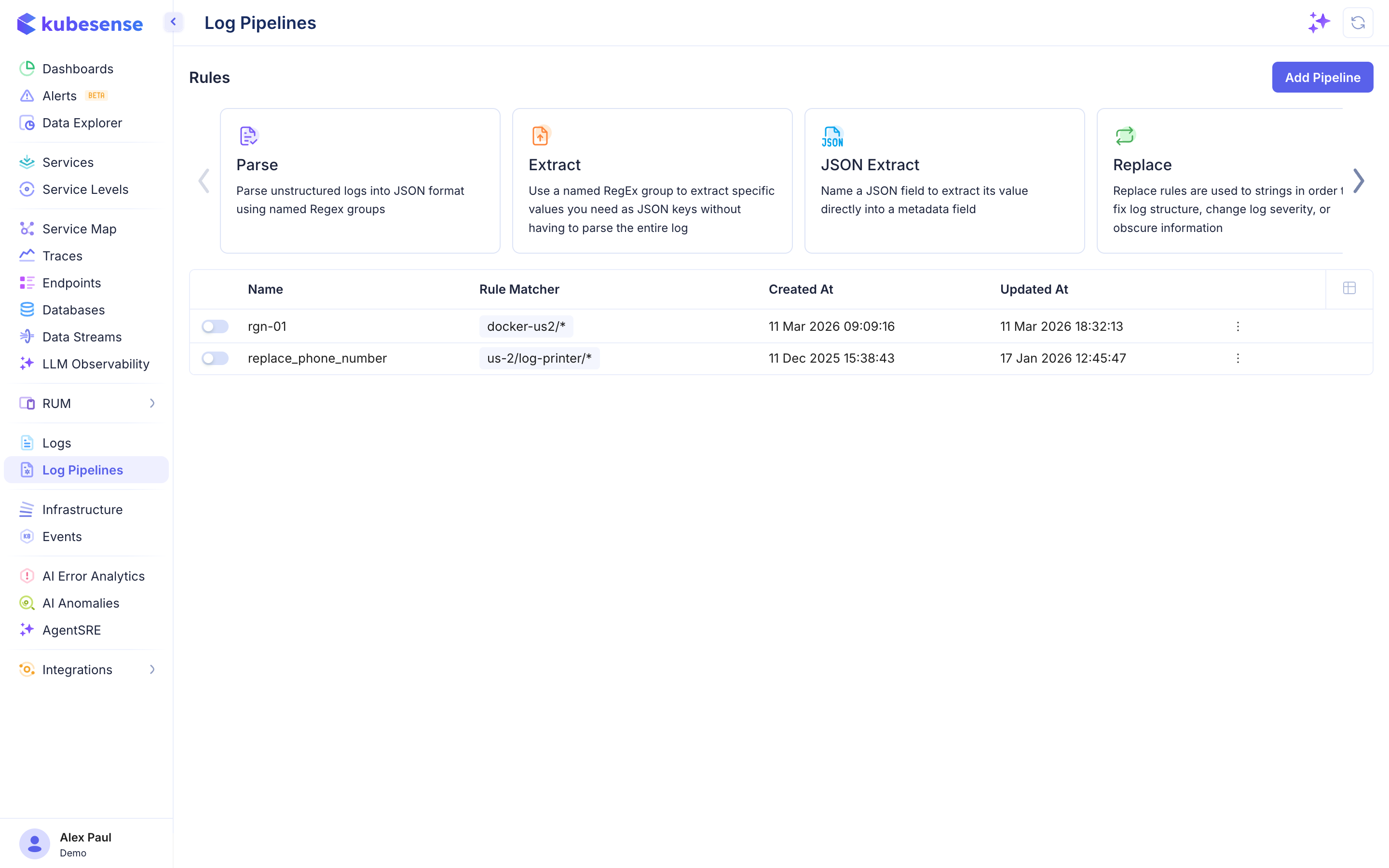
The columns in the pipeline list are:
| Column | Description |
|---|---|
| Name | Pipeline rule group name |
| Rule Matcher | Pattern determining which logs this pipeline applies to (e.g., us-2/log-printer/*) |
| Created At | When the pipeline was created |
| Updated At | When the pipeline was last modified |