
MCP Integrations
MCP Integrations let you connect your own remote MCP (Model Context Protocol) servers to Agent SRE. Once registered, the tools those servers expose become available to Agent SRE during Conversations and Investigations — so it can pull in context and take actions beyond your KubeSense telemetry (for example, querying GitHub, Slack, or an internal service that speaks MCP).
MCP Integrations is one of the three tabs in Agent SRE, alongside Conversations and Investigations.
info: This is the inbound direction — bringing external MCP tools into Agent SRE. It is different from the MCP Server, which exposes your KubeSense telemetry out to AI clients like Claude or Cursor.
Any MCP server that is reachable over HTTP from the kubesense-agent-sre-service can be added — this includes public MCP servers as well as internal servers running inside your own cluster or network, as long as the service can reach the URL.
The integrations list
Open Agent SRE and select the MCP Integrations tab to see every MCP server you've connected.
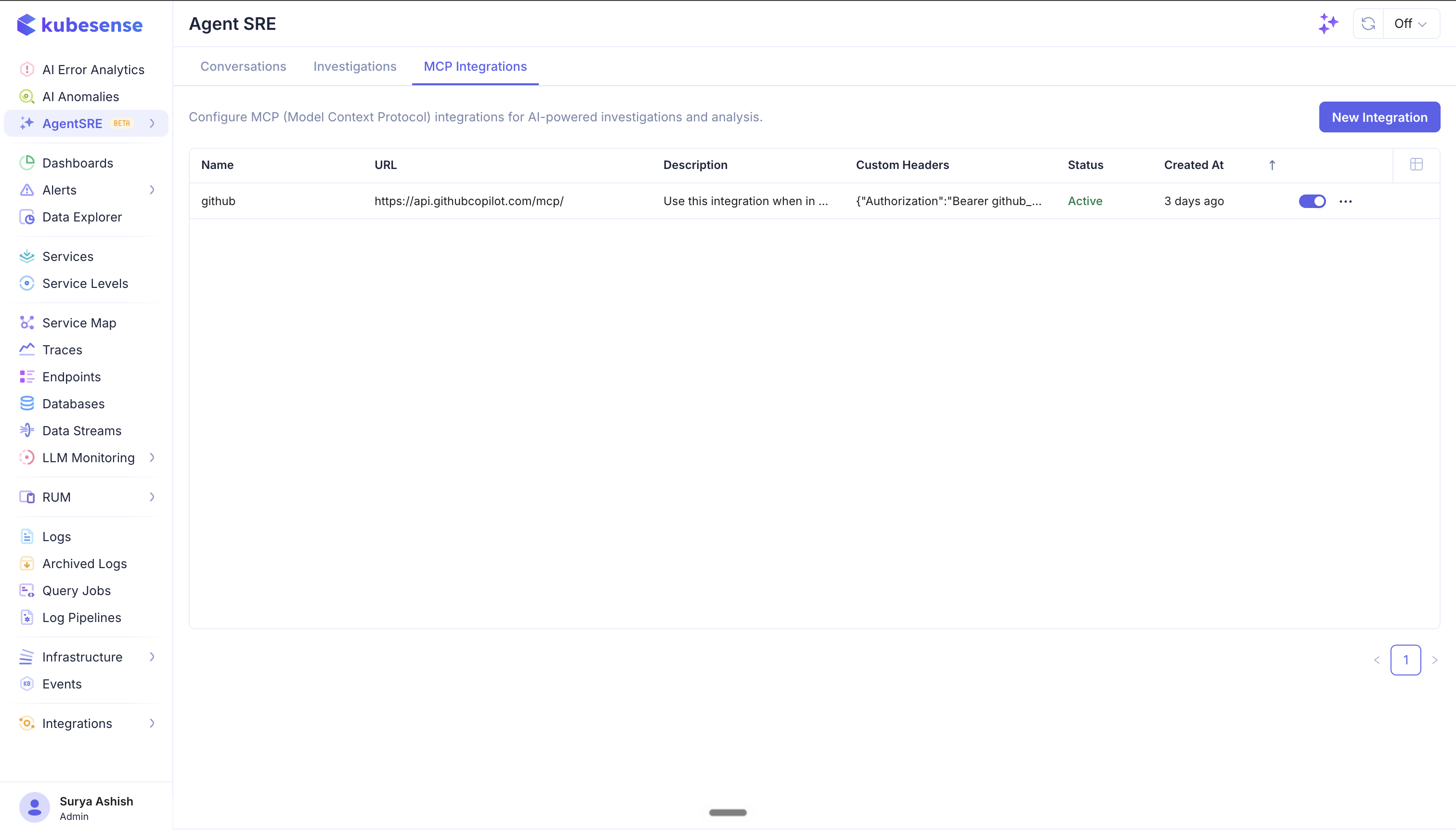
Each row shows:
| Column | Description |
|---|---|
| Name | A label for the integration |
| URL | The remote MCP server endpoint |
| Description | What the integration is for (also used to load its tools — see below) |
| Custom Headers | Any headers sent with every request, e.g. an Authorization token |
| Status | Whether the integration is Active |
| Created At | When it was added |
Use the toggle on each row to enable or disable an integration without deleting it, and the ⋯ menu to edit or remove it.
Adding an integration
Click New Integration to open the configuration dialog.
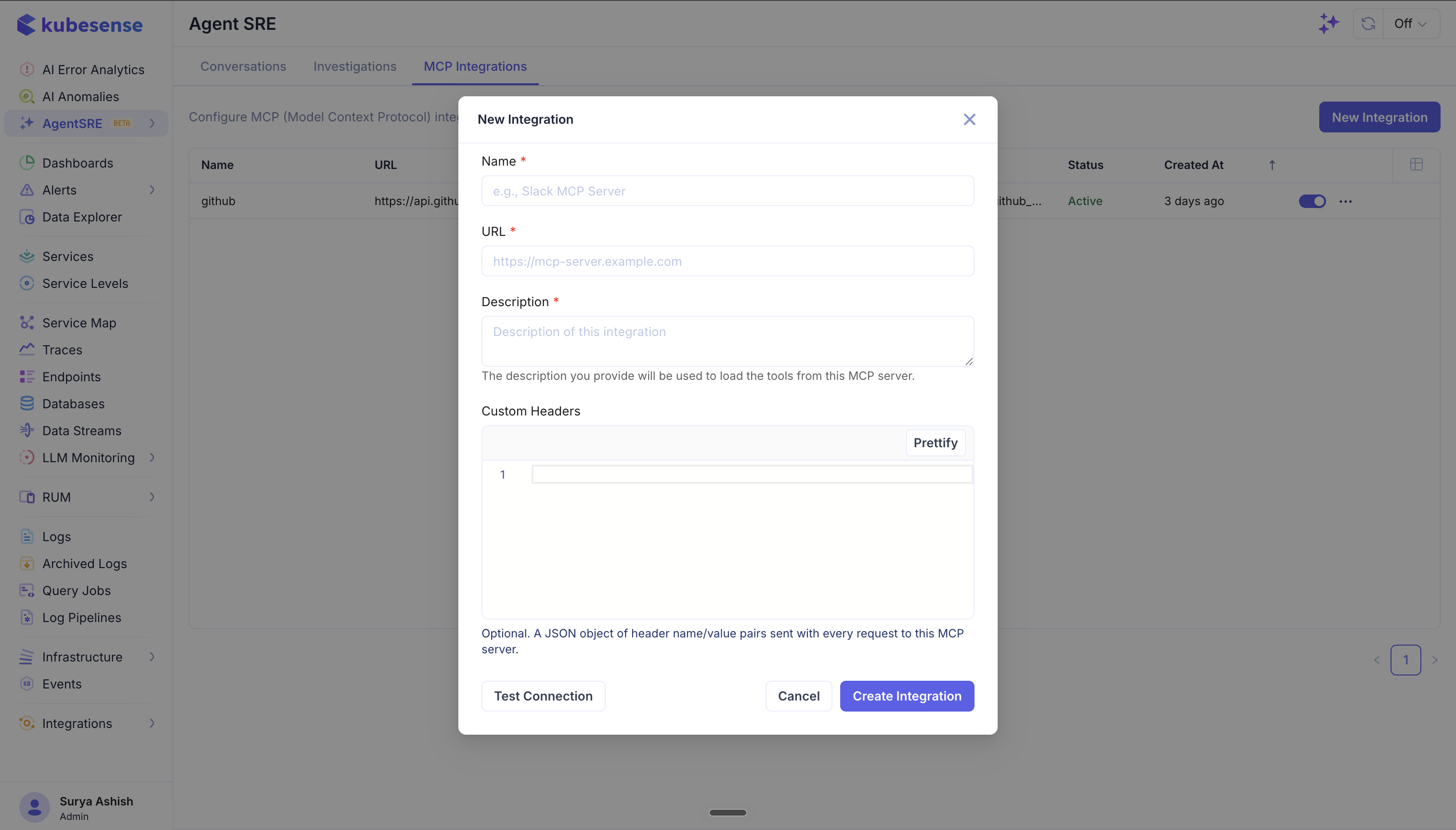
Fill in the fields:
- Name (required) — a label for the server, e.g. Slack MCP Server.
- URL (required) — the MCP server endpoint, e.g.
https://mcp-server.example.com. It must be reachable over HTTP from thekubesense-agent-sre-service. - Description (required) — what this integration is for. This is more than a label: the description is used to load the tools from this MCP server, so write it to clearly convey when Agent SRE should reach for this server.
- Custom Headers (optional) — a JSON object of header name/value pairs sent with every request to the server, typically for authentication (e.g.
{"Authorization": "Bearer <token>"}). Use Prettify to format the JSON.
Test the connection
Click Test Connection to verify Agent SRE can reach the server and load its tools with the URL and headers you provided. Once it succeeds, click Create Integration to save it. The new integration appears in the list as Active and its tools become available to Agent SRE.
Managing integrations
- Enable / disable — toggle an integration on or off from the list; disabled integrations are kept but their tools aren't loaded.
- Edit — update the URL, description, or headers from the ⋯ menu (for example, to rotate an auth token).
- Delete — remove an integration you no longer need from the ⋯ menu.