
AI Root Cause Analysis
AI RCA is an Agent SRE capability that produces an automated root cause analysis for a single failure — a failed trace or a recorded issue. Instead of manually correlating spans, logs, and metrics, you click AI RCA and Agent SRE runs a full investigation in the background and reports back with a root cause.
AI RCA can be triggered from two places:
- Traces — for any span in a distributed trace
- AI Error Analytics — for any issue in the Issues list
Both produce the same kind of result: an RCA card with a verdict, a written root cause, and a link to the full Investigation.
Trace RCA
Triggering an RCA from a trace
Open a trace from the Traces page (or drill into one from the Service Map or AI Error Analytics). In the trace detail panel, the header shows the protocol, timestamp, duration, endpoint, and status code — along with the AI RCA button.
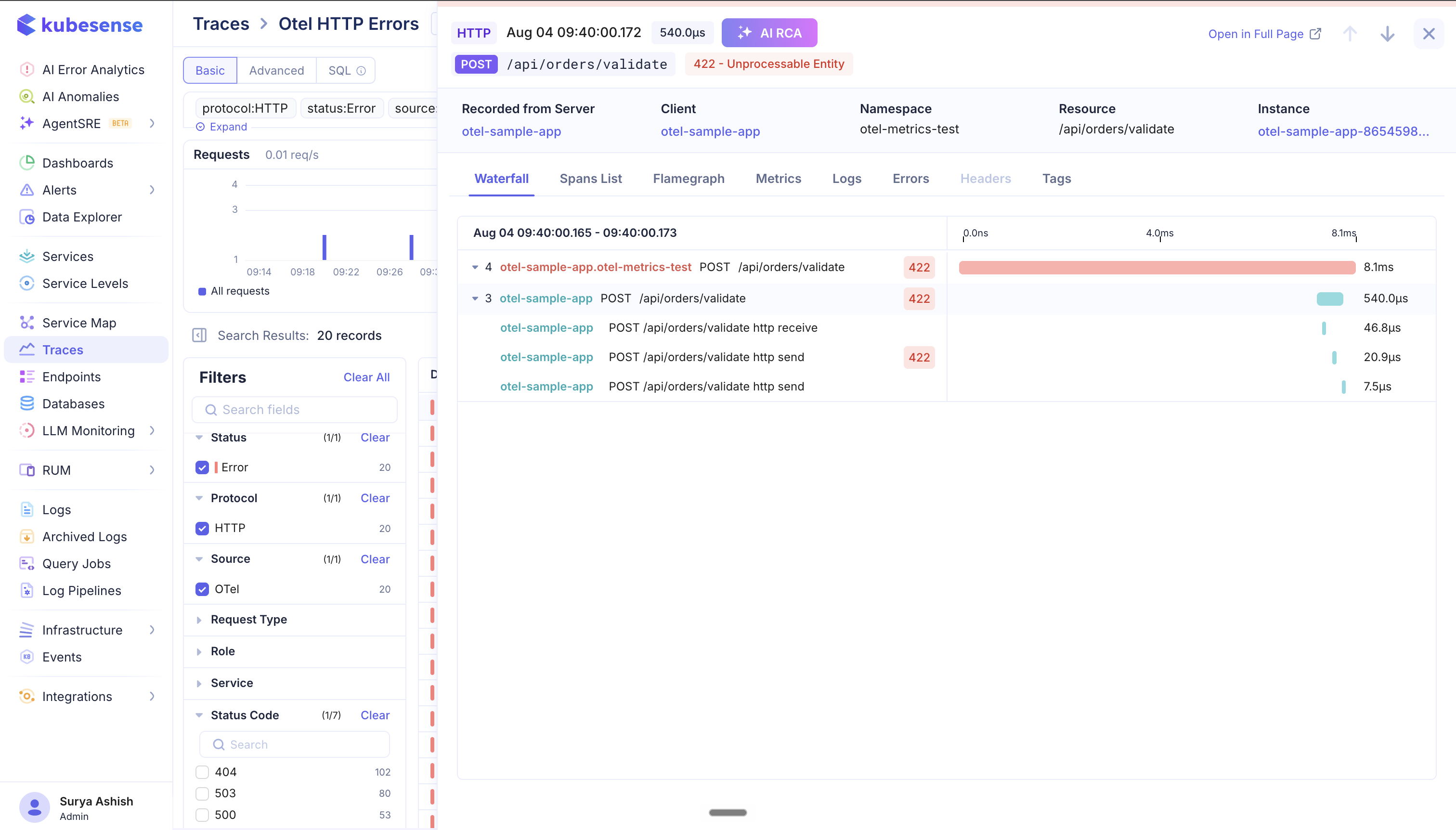
Click AI RCA to start the analysis. You can trigger it for any span in the distributed trace — pick the span you actually care about (for example the failing downstream call rather than the root request), and Agent SRE scopes the investigation to that span and its surrounding context.
The analysis runs asynchronously and typically takes a couple of minutes. You don't need to keep the panel open while it runs.
Reading a completed trace RCA
Once the analysis finishes, the result appears as an RCA card at the top of the trace detail view. If an RCA was triggered for any span in the distributed trace, you can see it here.
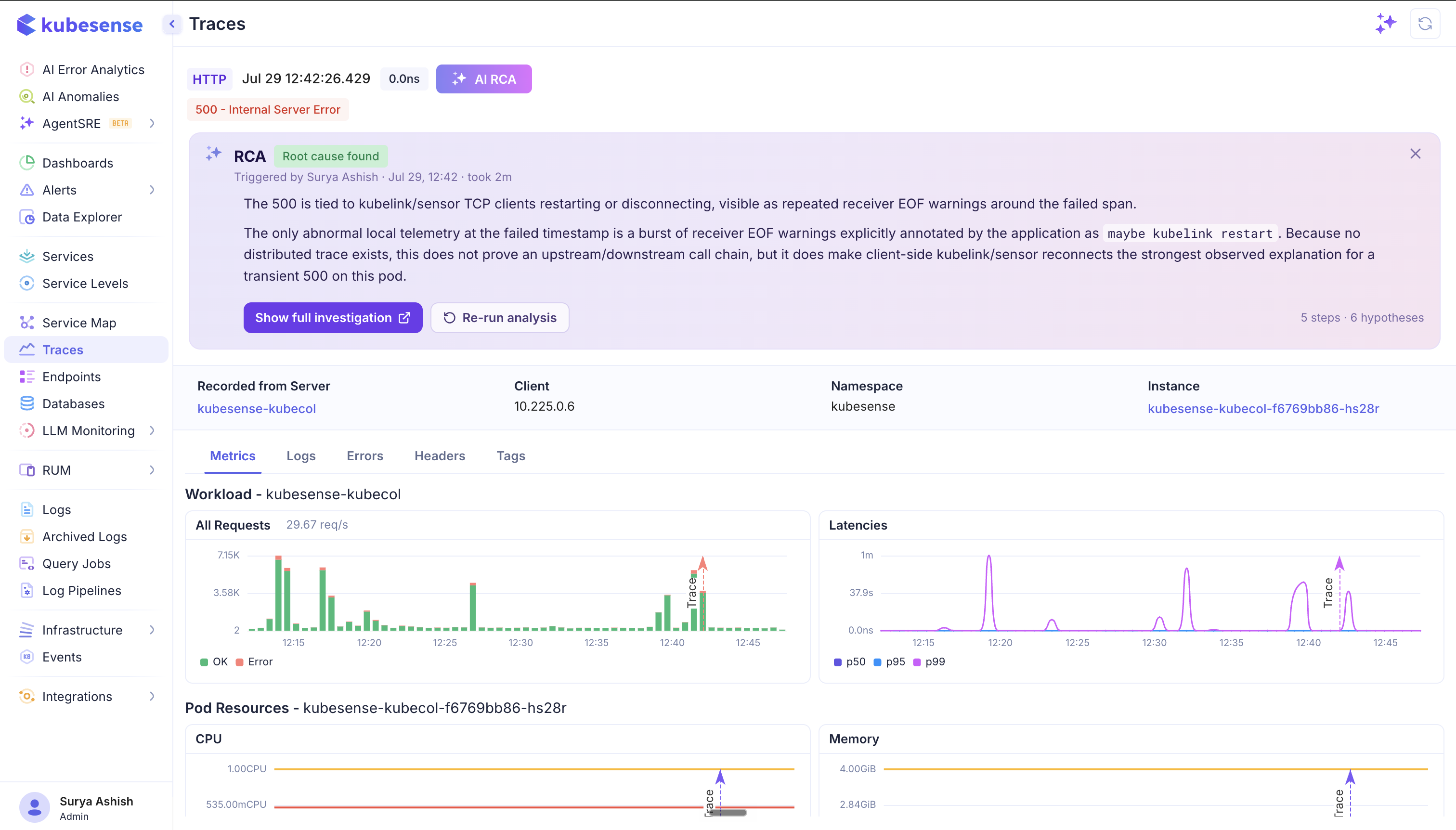
The card shows:
- Verdict — the outcome of the analysis, e.g. Root cause found
- Triggered by — who ran it, when, and how long it took (e.g. Triggered by Surya Ashish · Jul 29, 12:42 · took 2m)
- Root cause summary — the written explanation of why the request failed, including the evidence Agent SRE relied on and any caveats about what the telemetry could and could not prove
- Steps and hypotheses count — e.g. 5 steps · 6 hypotheses — how much reasoning went into the conclusion
Two actions are available on the card:
- Show full investigation — opens the complete Investigation, with the hypothesis tree, every investigation step, and the exact tool calls and queries Agent SRE ran. Use this when you want to audit or verify the conclusion.
- Re-run analysis — runs the RCA again. Useful when the conclusion was inconclusive, or when more telemetry has arrived since the first run.
Below the card, the usual trace context stays available — Metrics, Logs, Errors, Headers, and Tags — with the trace marked on the workload and pod resource charts so you can line the failure up against request rate, latency, CPU, and memory at that moment.
Use the ✕ on the card to dismiss it; the RCA remains attached to the trace and the investigation stays accessible from the Investigation list.
Issue RCA
Triggering an RCA from an issue
On the AI Error Analytics page, every row in the Issues list has an RCA icon on its left. Hover it to see "Get RCA for this Issue.", then click to start the analysis for that issue.
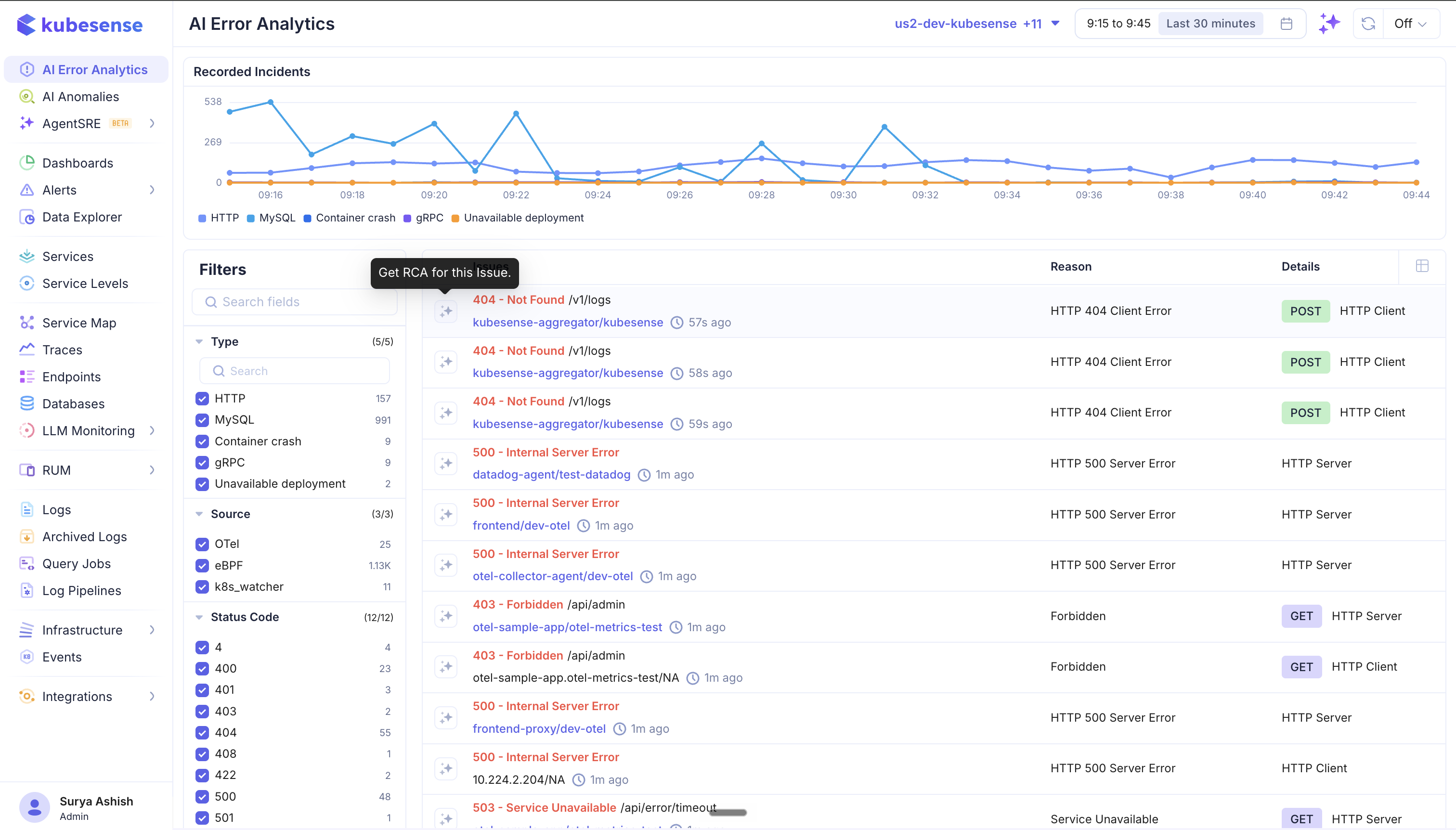
The issue's status code, endpoint, workload/namespace, reason, and request details all become context for the investigation — so a 404 - Not Found /v1/logs on kubesense-aggregator/kubesense is investigated as that specific failure, not as a generic error.
Reading a completed issue RCA
When the analysis completes, the RCA card expands inline underneath the issue row in the list.
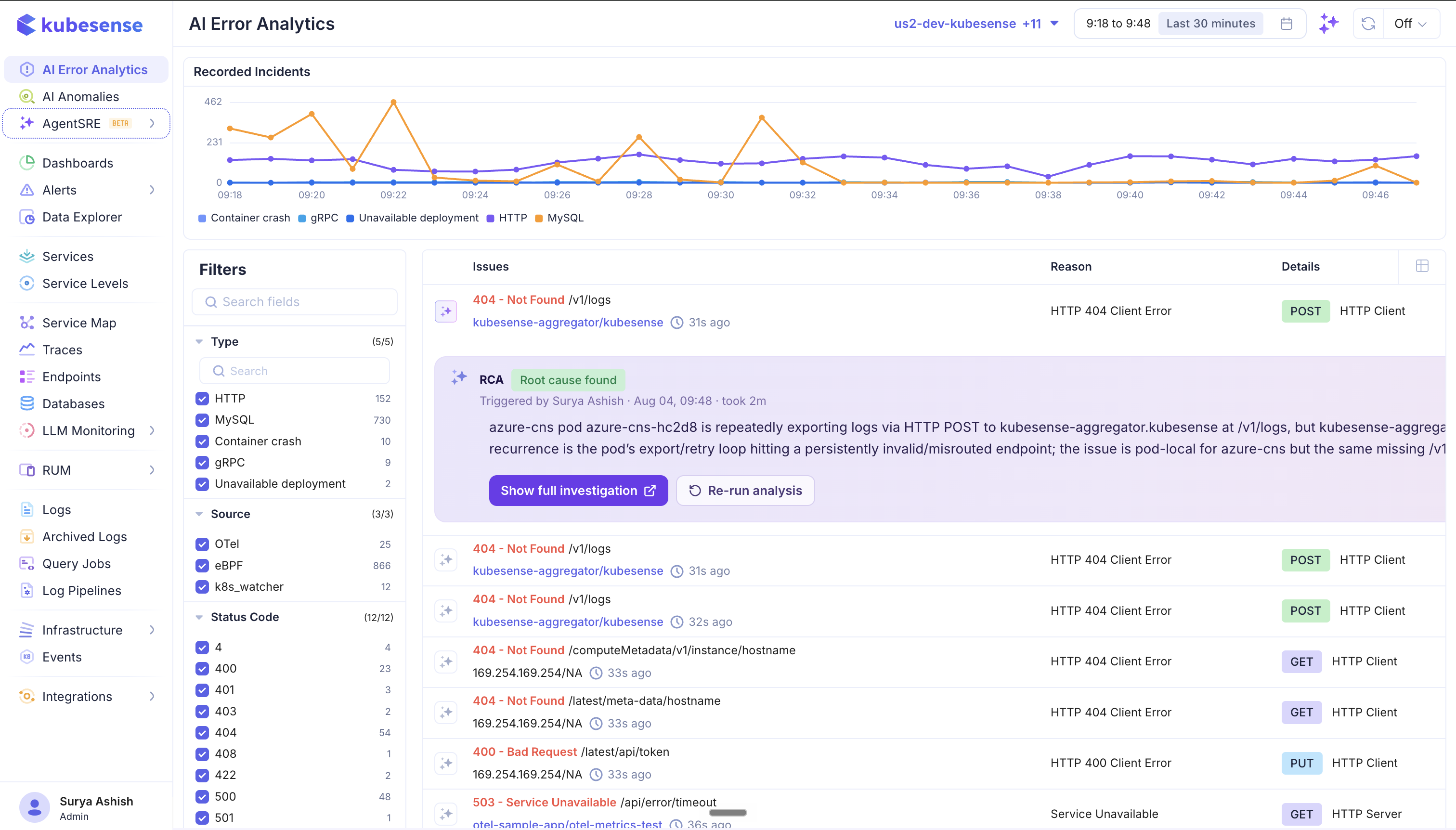
It carries the same information as a trace RCA — verdict, triggered by / when / duration, and the root cause summary — plus the same two actions:
- Show full investigation — open the full hypothesis tree, steps, and tool calls
- Re-run analysis — run the analysis again
Because the card renders in place, you can keep scanning the Issues list while an RCA is running and come back to the result without losing your filters or time range.
Where the results live
Every AI RCA creates an Investigation, so completed analyses are also listed under Agent SRE → Investigation, where you can search them, filter by source and initiator, and revisit past conclusions.