
Search & Querying
KubeSense provides three levels of search capability — Basic Search, Advanced Query, and Search Processing Language (SPL) — giving you the flexibility to perform quick lookups or complex analytical queries.
Basic Search
The basic search mode uses a tag-based approach. Type a filter key and value directly into the search bar, and KubeSense creates a visual filter tag. You can combine multiple filter tags to progressively narrow your results.
type:ERROR namespace:sre-agent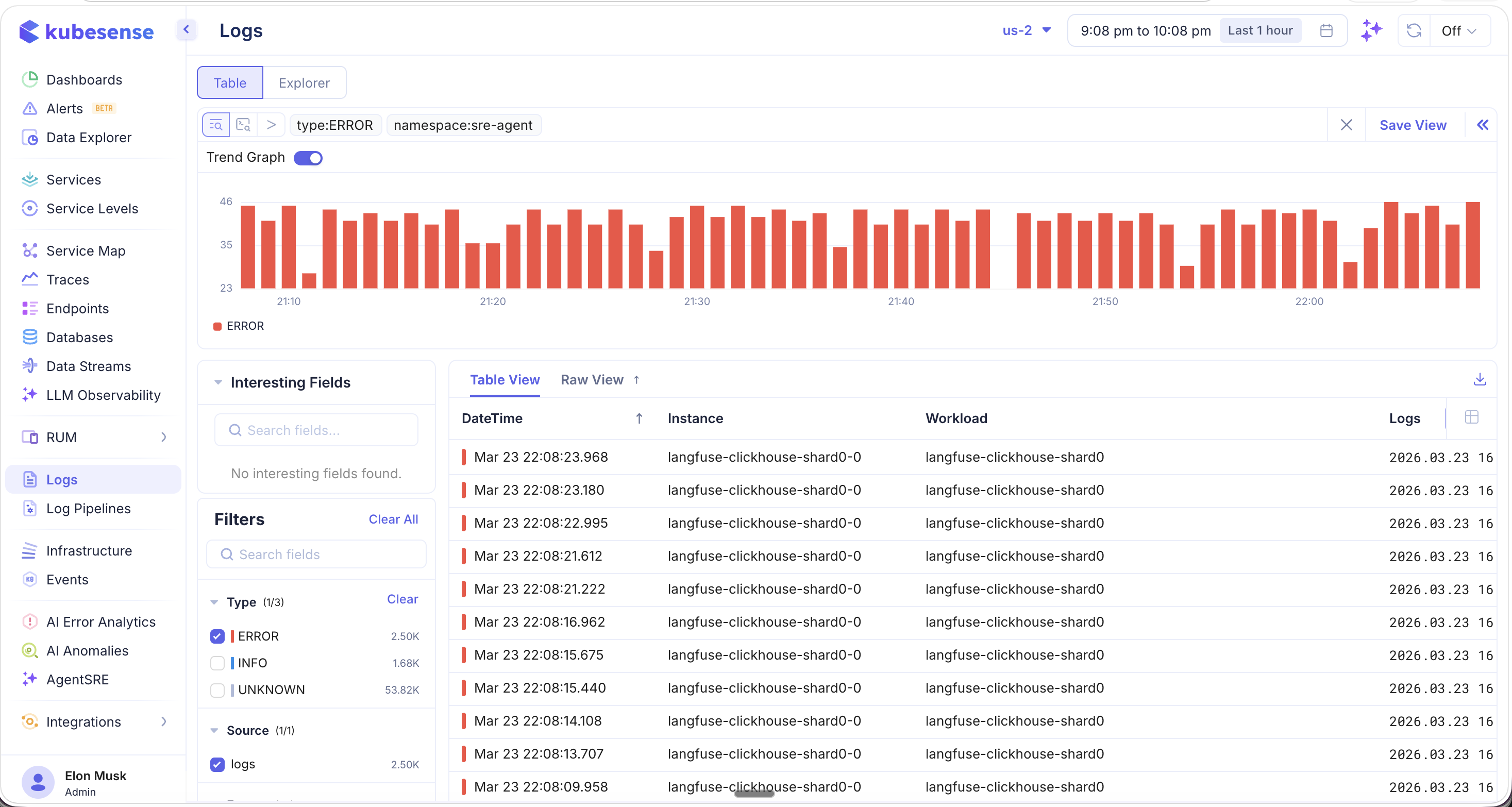
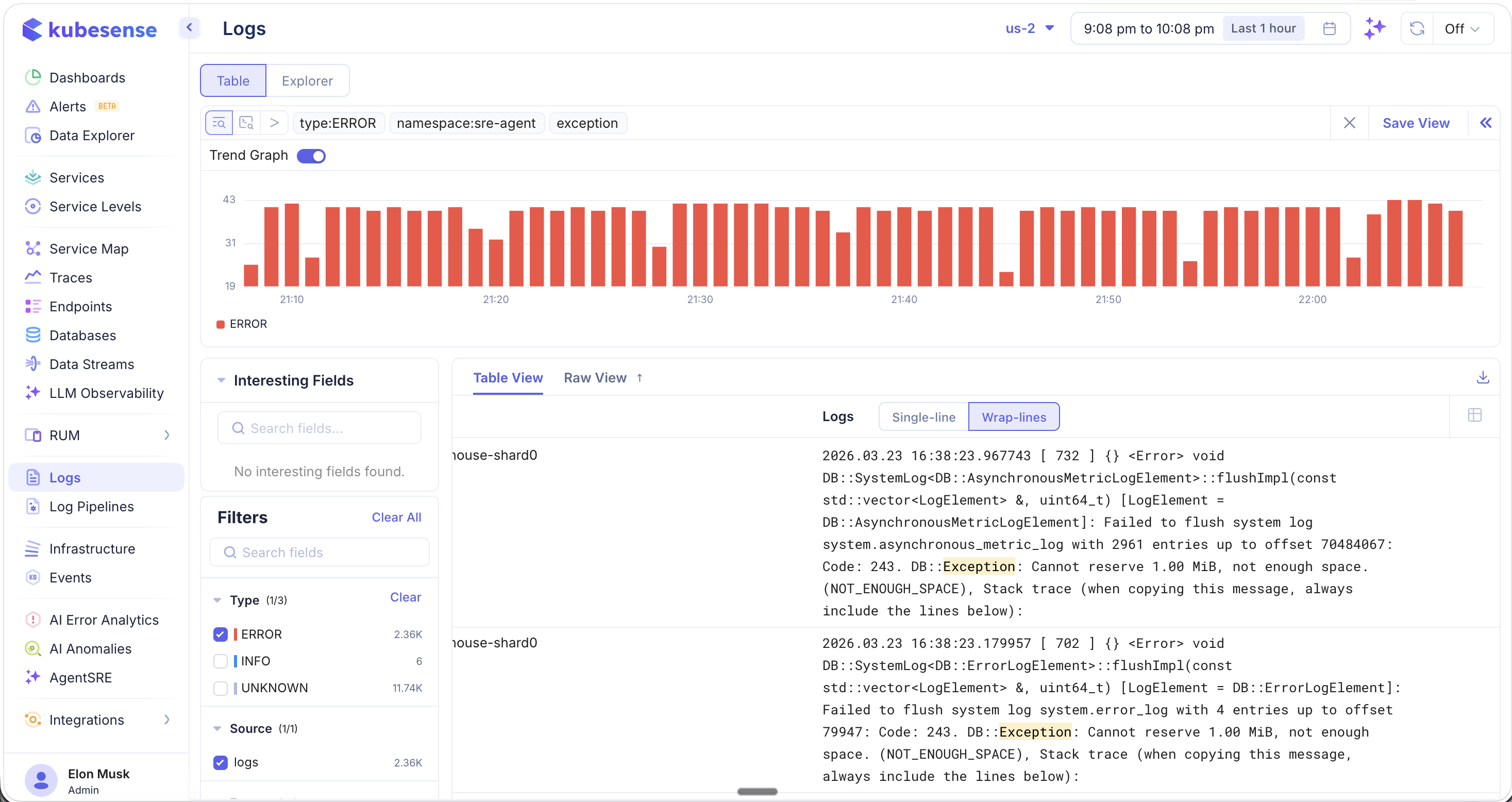
Basic search also supports free-text search. Type any keyword (e.g., exception) alongside your filter tags, and KubeSense will scan through your entire log corpus — across millions of log entries — to find all messages containing that string. Matching keywords are highlighted in yellow for easy identification.
Advanced Query
For more precise control, switch to Advanced Query mode by clicking the query editor toggle. This mode supports a SQL-like syntax with logical operators, comparison operators, and pattern matching.
type = ERROR AND namespace = "sre-agent" AND body ILIKE 'exception'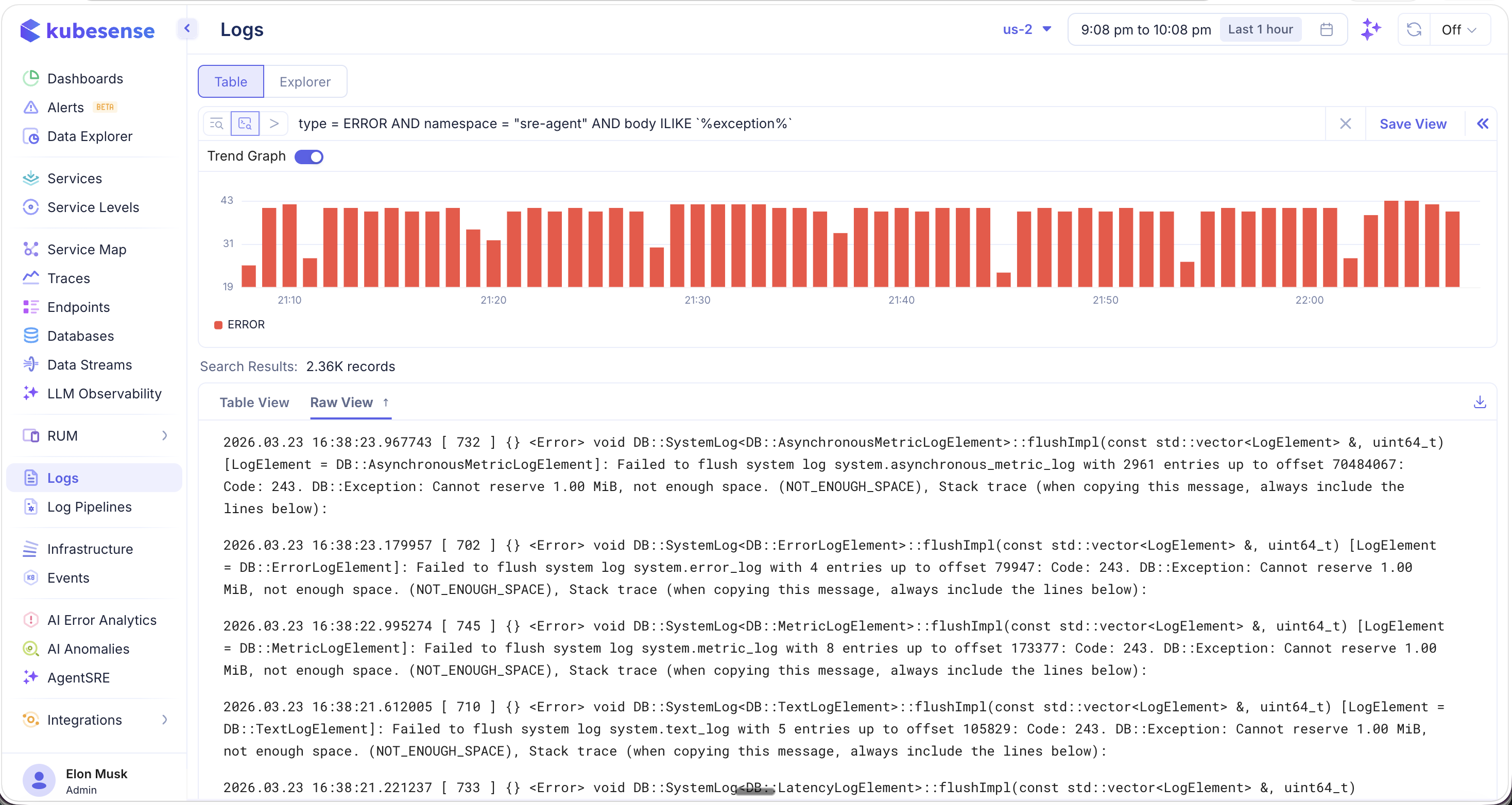
Supported Operators
| Operator | Description | Example |
|---|---|---|
= | Exact match | type = ERROR |
!= | Not equal | type != DEBUG |
IN | Match any value in a list | type IN ["ERROR", "WARN"] |
LIKE ILIKE | Pattern match (case-insensitive) | body ILIKE 'exception' |
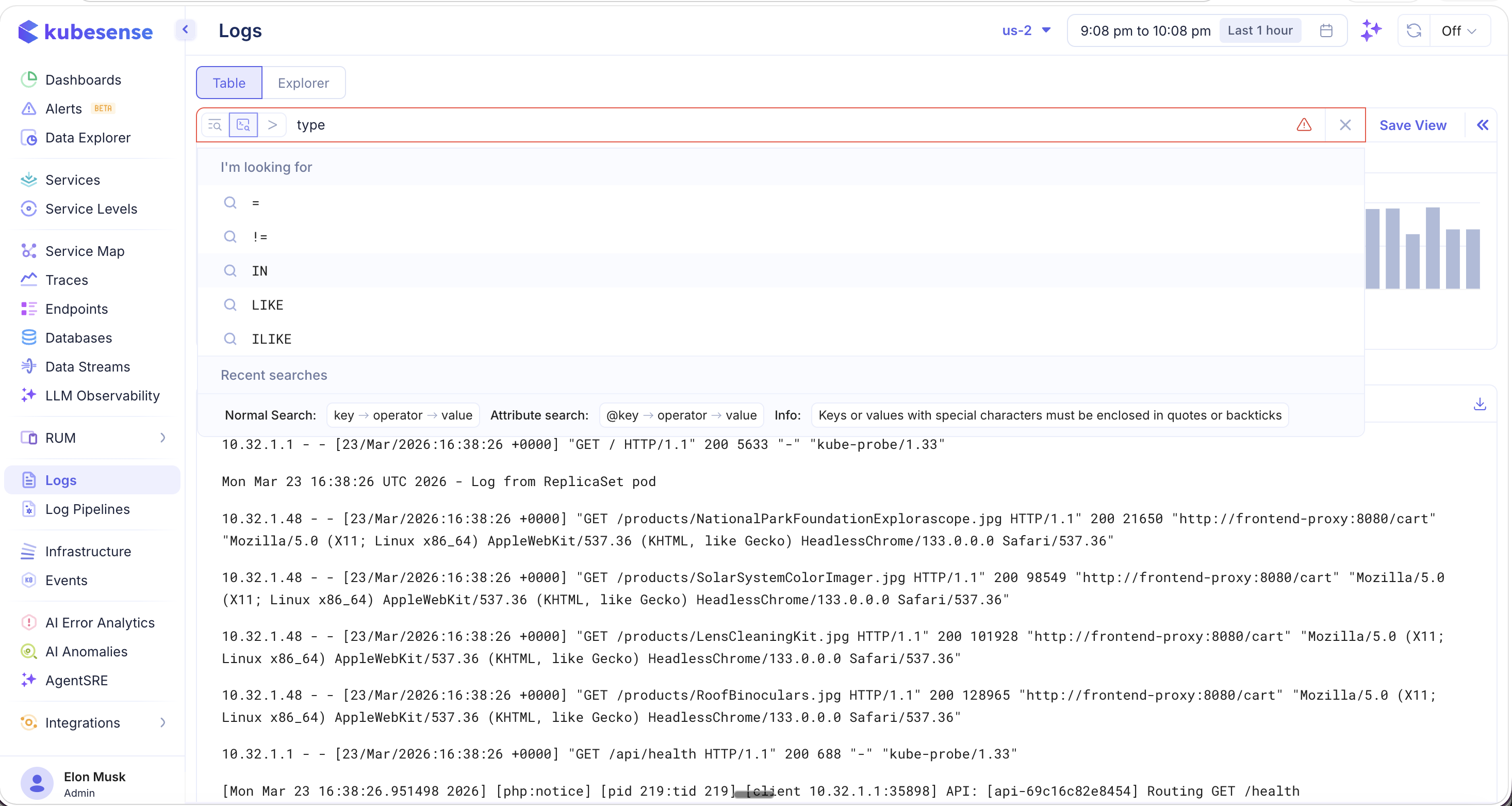
warn: Use SUBSTR_LIKE only when you want to search for substrings within a word (e.g., matching time inside timeout). It is less efficient compared to whole-word searches, so prefer LIKE / ILIKE for whole-word matching.
Logical Connectors
Combine conditions using AND and OR operators to build complex queries:
type = ERROR AND namespace = "sre-agent"
type = ERROR OR type = WARN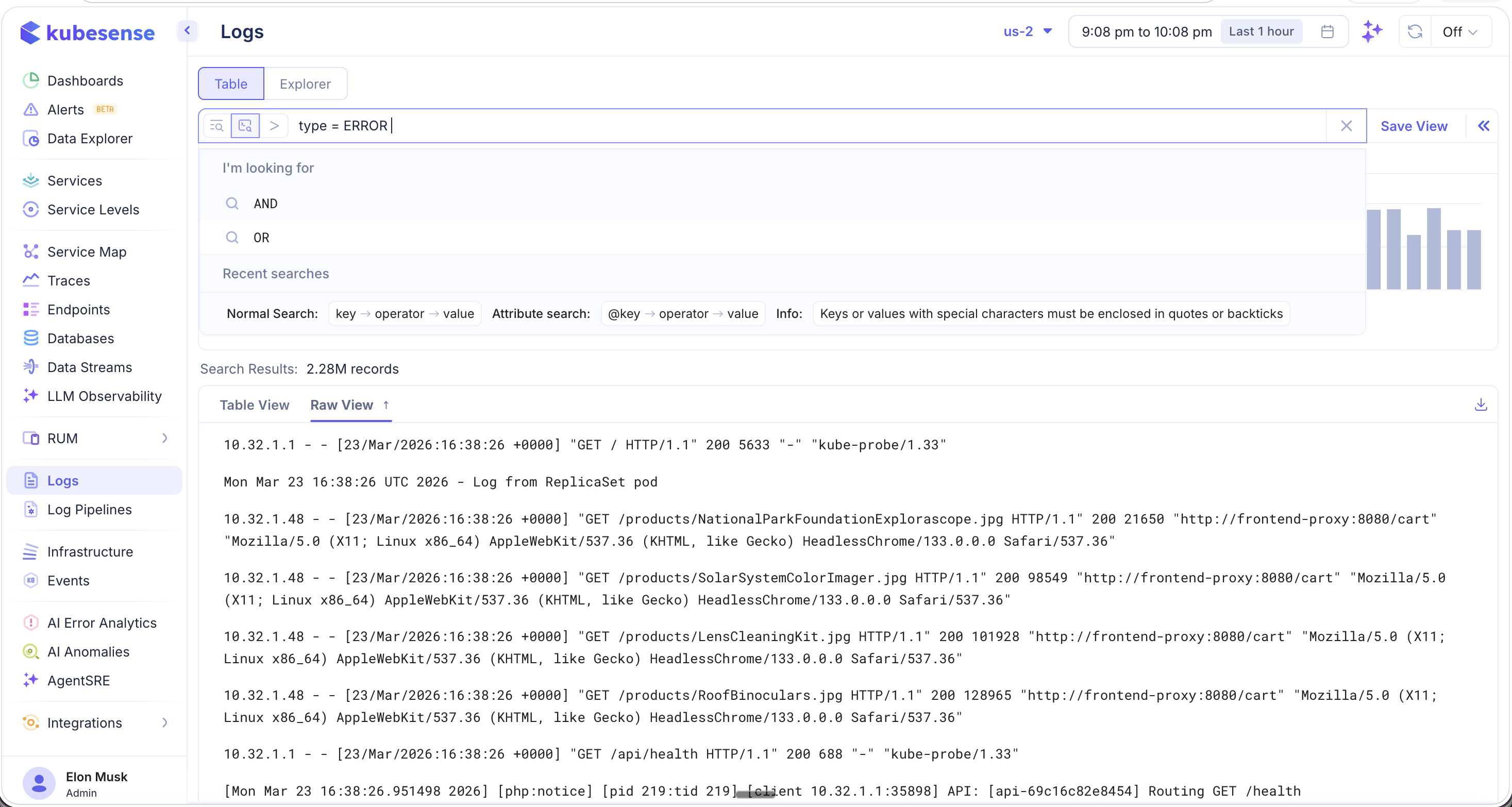
Field Autocomplete
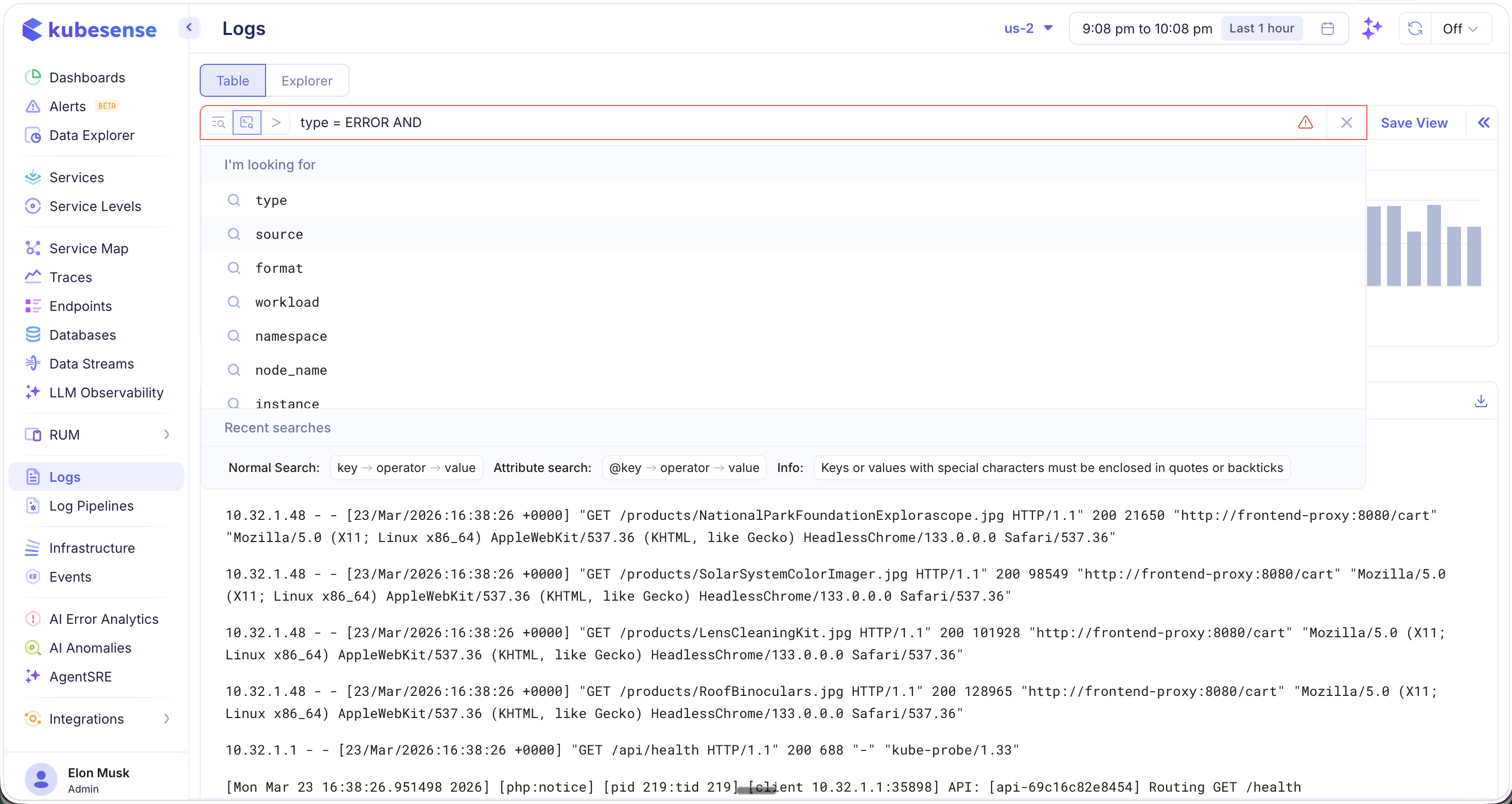
The query editor provides intelligent autocomplete. After typing a logical connector like AND, you are presented with all available fields to filter on:
type,source,format,workload,namespace,node_name,instance
Search Syntax Reference
| Mode | Syntax | Example |
|---|---|---|
| Normal Search | key → operator → value | type = ERROR |
| Attribute Search | @key → operator → value | @span_id = "abc123" |
Keys or values containing special characters must be enclosed in quotes or backticks.
Search Processing Language (SPL)
KubeSense includes a built-in Search Processing Language (SPL) — a pipe-based query language for performing advanced log analytics, aggregations, and transformations directly within the Log Explorer. SPL enables you to go beyond simple filtering and perform real-time statistical analysis on your log data.
Simple SPL Query
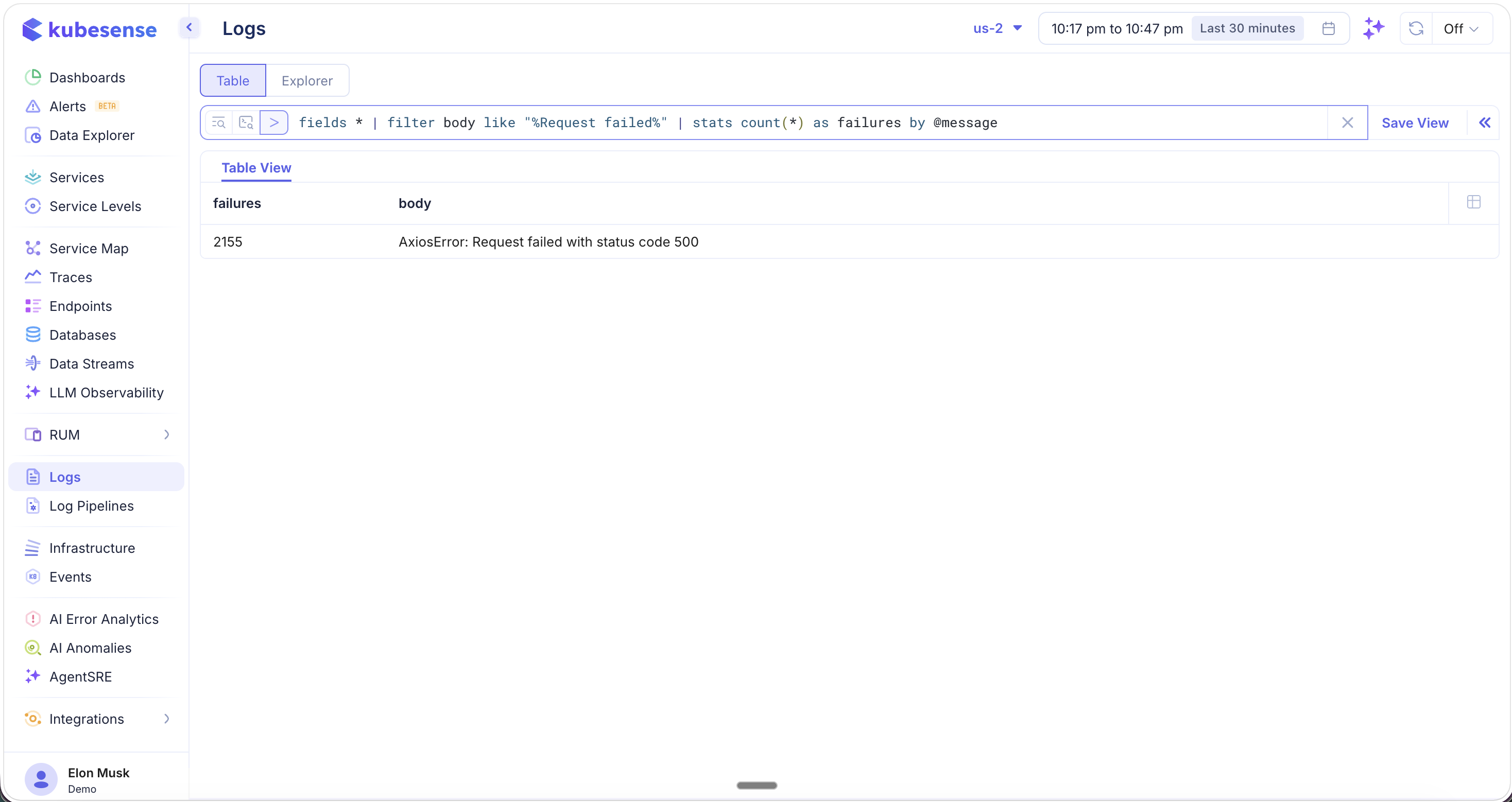
Use SPL to filter logs and compute statistics in a single query:
fields * | filter body like "Request failed" | stats count(*) as failures by @messageThis query scans all log fields, filters for entries containing "Request failed", and counts the occurrences grouped by message — returning a clean summary table.
Complex SPL Query
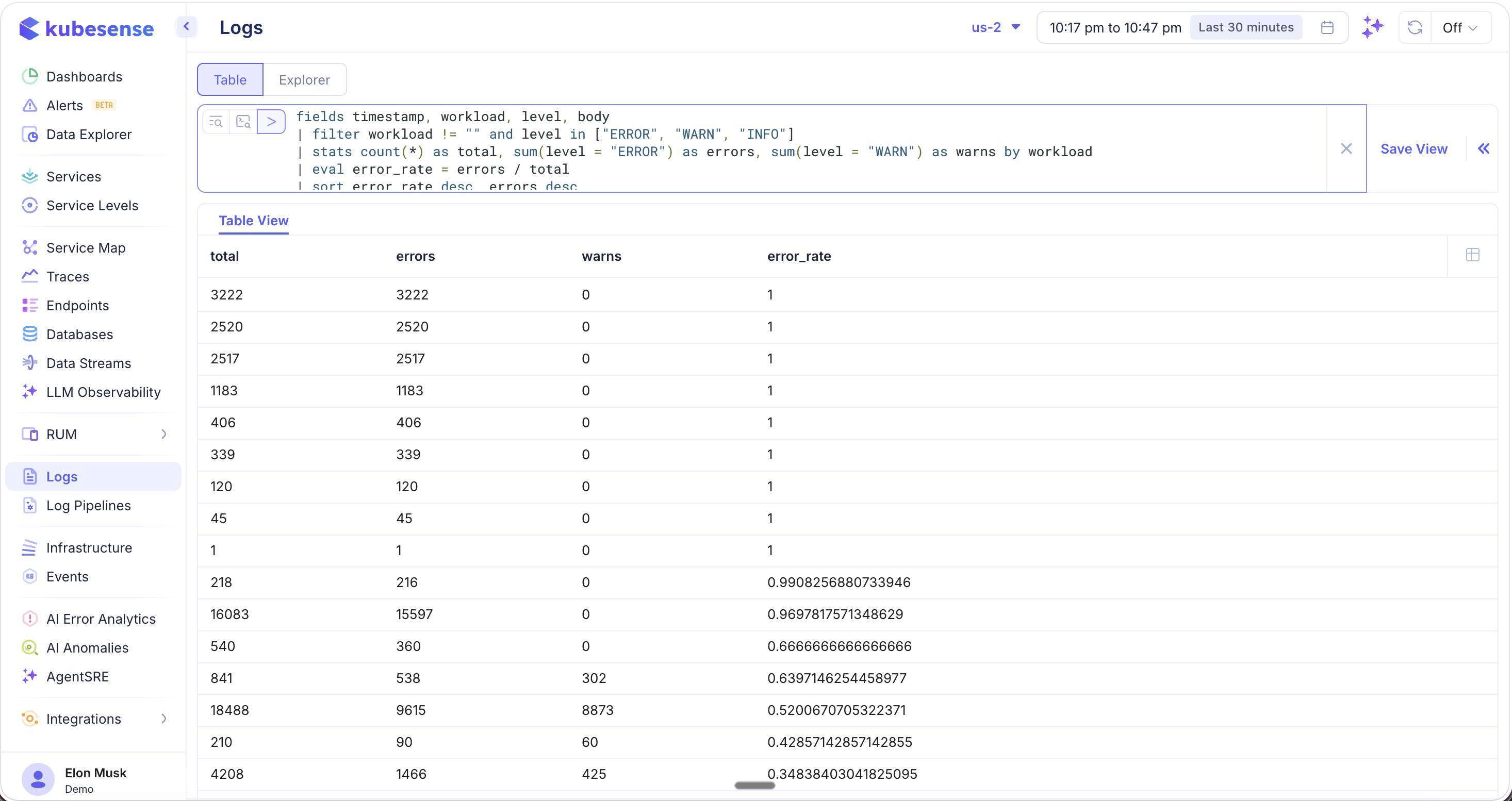
SPL supports multi-stage pipelines with field aliasing, conditional aggregations, and computed columns:
fields timestamp, workload as application_name, level as severity, body as text
| filter application_name != "" and severity in ["ERROR", "WARN", "INFO"]
| stats count(*) as total, sum(severity = "ERROR") as errors, sum(severity = "WARN") as warns by application_name
| eval error_rate = errors / total
This query computes the error rate for every application in your cluster, producing a table with total logs, error count, warning count, and the calculated error rate per workload.
info: SPL is a powerful query language with many more capabilities including sorting, deduplication, regex extraction, time-based bucketing, and more. See the SPL Reference Guide for the complete documentation.