
Saved Views
Click Save View to persist your current search query, filters, display configuration, visualization, and table layout for quick access later. Saved views help teams standardize troubleshooting workflows and share commonly used queries.
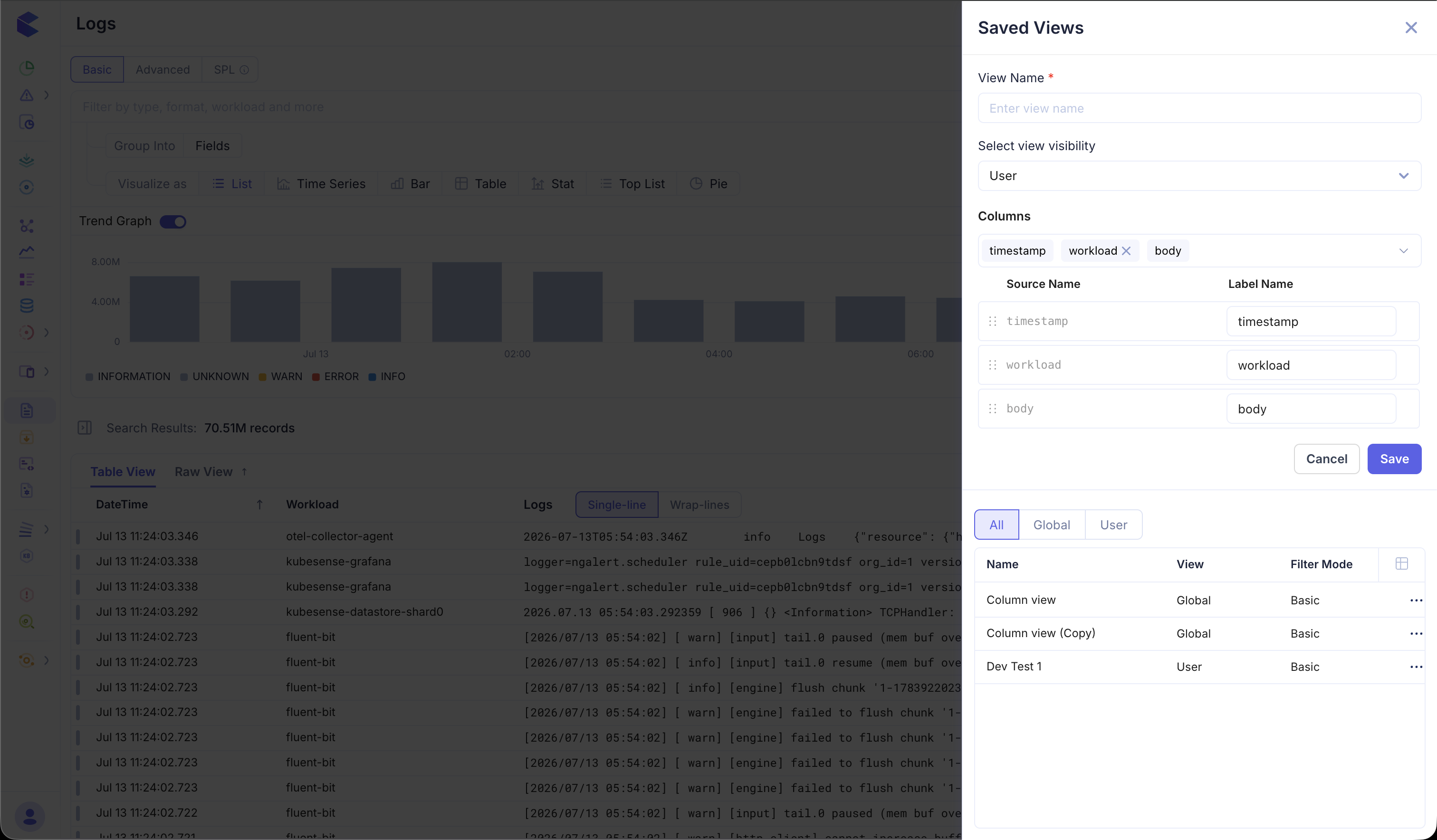
Creating a Saved View
When saving a view, you can configure:
- View Name — A descriptive name for the saved view (e.g., "Production Errors", "Payment Service Logs")
- View Visibility — Choose between:
- User — Visible only to you
- Global — Visible to all team members in the organization
Managing Saved Views
Saved views are listed in a panel with tabs for All, Global, and User views. Each saved view displays its name, visibility scope, and a three-dot menu for additional actions.
Each view can store:
- A basic filter query (e.g.,
type:ERROR namespace:production) - An advanced SQL-like query (e.g.,
type = ERROR AND namespace = "sre-agent") - A full SPL query (e.g.,
fields * | filter level = "ERROR" | stats count(*) by workload) - The visualization configured on the Logs page — including panel type (List, Time Series, Bar, Table, Stat, Top List, Pie), aggregations, group-by fields, and Panel Options
- The list / table layout — including dynamic columns and rows you have added or rearranged in the table view
This makes it easy to share complex analytical workflows across your team without requiring everyone to remember or reconstruct query syntax, chart settings, or column layouts.
Use Cases
- Incident response — Save a view for "Production Errors Last 1 Hour" so the on-call engineer can immediately see current issues
- Post-deployment monitoring — Save a view filtered to a specific namespace and time window to monitor logs after a release
- Team dashboards — Create global views for common queries that the entire team uses regularly
- Compliance auditing — Save views for specific log patterns that need to be reviewed periodically
- Reusable visualizations — Save a time series or top-list chart with its group-by and Panel Options so the team opens the same analysis every time
- Custom table layouts — Save a list view with the exact dynamic columns your team needs for triage