
Coverage
Coverage answers two questions for the selected range and cluster: how much of your logs was scanned, and how much of what was found is protected.
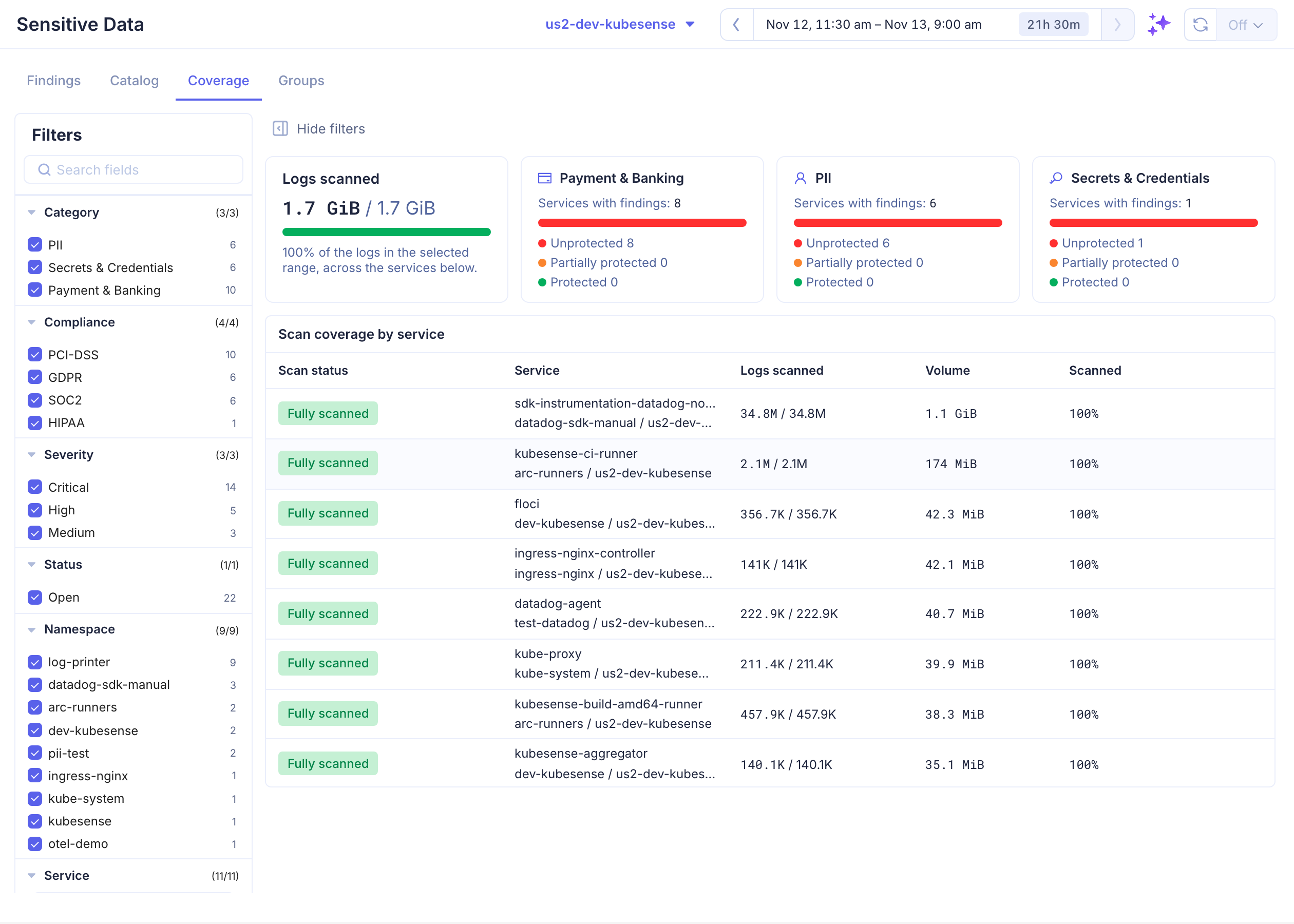
Logs Scanned
The first tile compares the volume of logs scanned with all logs in the range. Logs are not scanned when no enabled scanning group selects them, or when a group samples below 100%.
Protection by Category
One tile per category with findings (PII, Secrets & Credentials, Payment & Banking, Network & Device, Custom). It counts the services with findings in that category and splits them:
| Status | Meaning |
|---|---|
| Unprotected | None of the service's findings in the category is protected |
| Partially protected | Some are |
| Protected | All of them are |
Ignored findings do not count against a service, and a service whose findings in the category are all ignored is left out of the tile. Click a tile to open its findings.
Scan Coverage by Service
| Column | Description |
|---|---|
| Scan status | Fully scanned (every log), Partially scanned (a group samples below 100%, or only part of the service's logs is in a group) or Not scanned (no group selects it) |
| Service | Service, namespace and cluster |
| Logs scanned | Log lines scanned / all log lines |
| Volume | All logs, in bytes |
| Scanned | Share of the volume scanned |
Click a service to open its findings. A service shown as Not scanned needs to be added to a scanning group.