
Findings
A finding is one rule matching in one service: for example, Visa card in checkout (namespace payments, cluster prod). The Findings tab lists every finding in the selected time range and cluster.
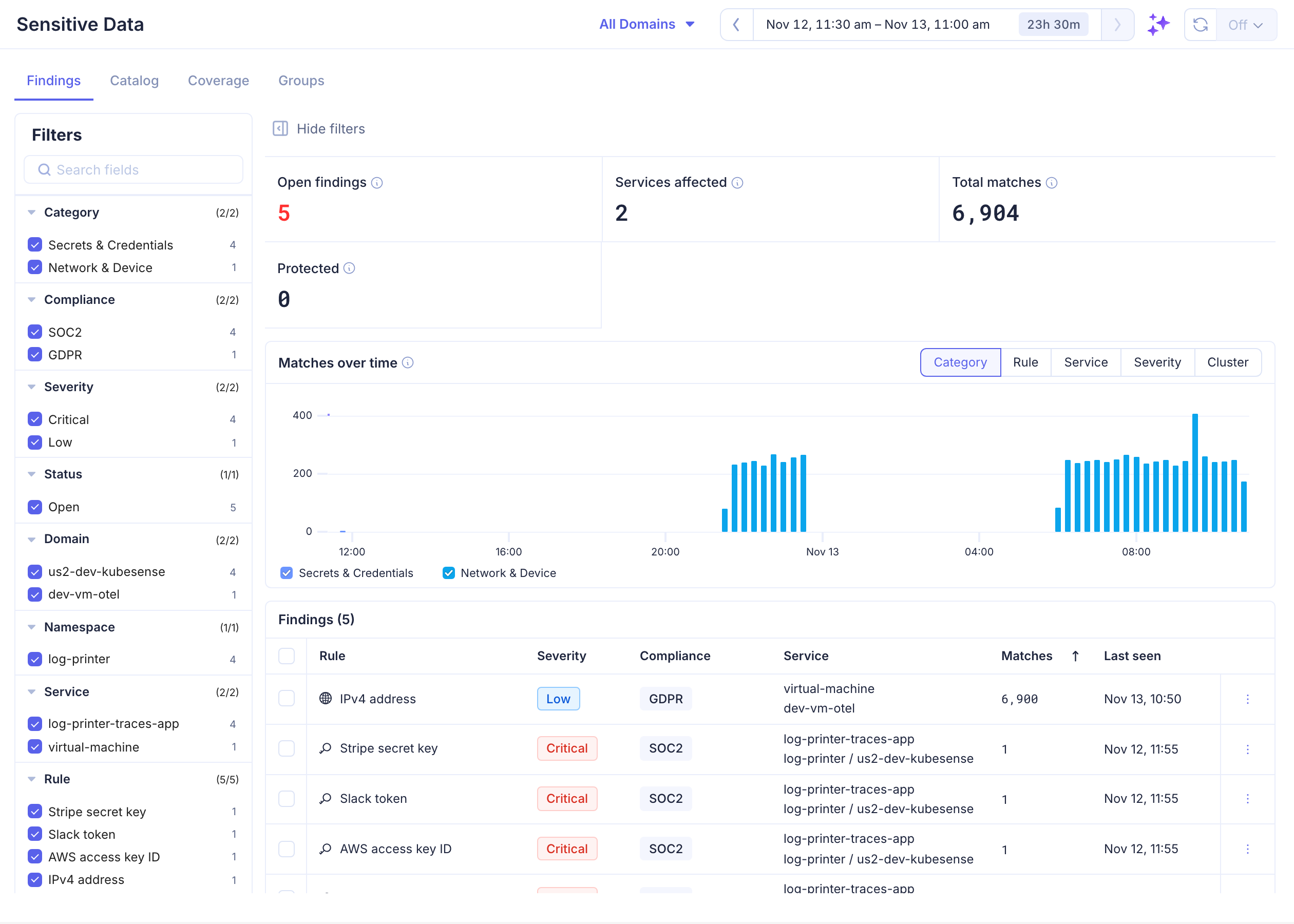
Summary
| Tile | Description |
|---|---|
| Open findings | Findings that matched in the last 24 hours and are not protected or ignored |
| Services affected | Services with at least one finding |
| Total matches | Matches in the range |
| Protected | Findings covered by a Protect rule |
Matches over time charts matches by Category, Rule, Service, Severity or Cluster. Click a legend item to hide or show its series.
Findings Table
Each row shows the rule, its severity and compliance tags, the service (with namespace and cluster), the number of matches, and when it was last seen. Click Matches, Last seen or Severity to sort; click again to reverse. A finding's status, and when it was first seen, are in its details panel.
When the finding's scanning group samples below 100%, matches are estimates, shown as ~N.
Status
| Status | Meaning |
|---|---|
| Open | Matched in the last 24 hours |
| Resolved | No match for 24 hours |
| Protected | An enabled Protect rule in an enabled pipeline masks it. If it keeps matching, some of the service's logs bypass that pipeline |
| Ignored | Dismissed with a reason |
Filters
The sidebar lists only values that have findings in the current range, with the number of findings for each:
| Filter | Values |
|---|---|
| Category | PII, Secrets & Credentials, Payment & Banking, Network & Device, Custom |
| Compliance | PCI-DSS, GDPR, HIPAA, SOC2 |
| Severity | Critical, High, Medium, Low |
| Status | Open, Resolved, Protected, Ignored |
| Domain | Clusters, within the cluster picker at the top |
| Namespace, Service | Where the data was found |
| Rule | The rule that matched |
| Group | The scanning group the rule belongs to |
Each section's counts ignore that section's own selection, so you can still pick its other values. Logs from VMs and hosts have no namespace: their findings are listed, but there is no Namespace value to filter on.
Finding Details
Click a row to open its details: rule, service, namespace, cluster, matches, scanning group, and the rule's pattern and validation.
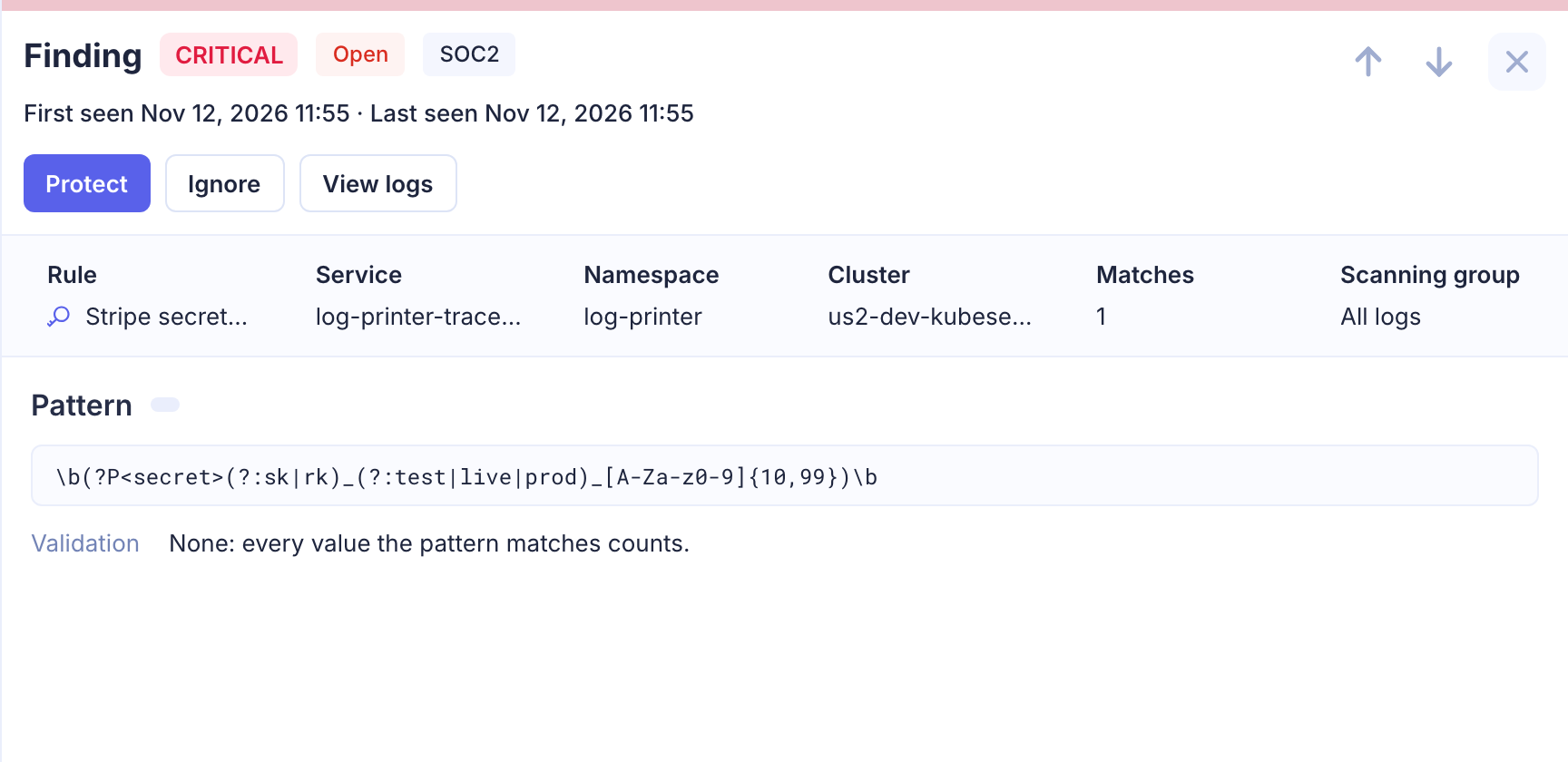
Actions
| Action | Description |
|---|---|
| Protect | Mask the data with a log pipeline. See Protecting Findings |
| Ignore | Dismiss the finding, with an optional reason (up to 512 characters). It moves to Ignored |
| Reopen | Undo Ignore or Protect on the finding |
| View logs | Open the matching logs (below) |
Select several rows to Protect, Ignore or Reopen them together.
View Logs
View logs opens the Logs page in SQL mode with a query for the finding: its rule's pattern in its service, newest first, over the time the finding was seen.
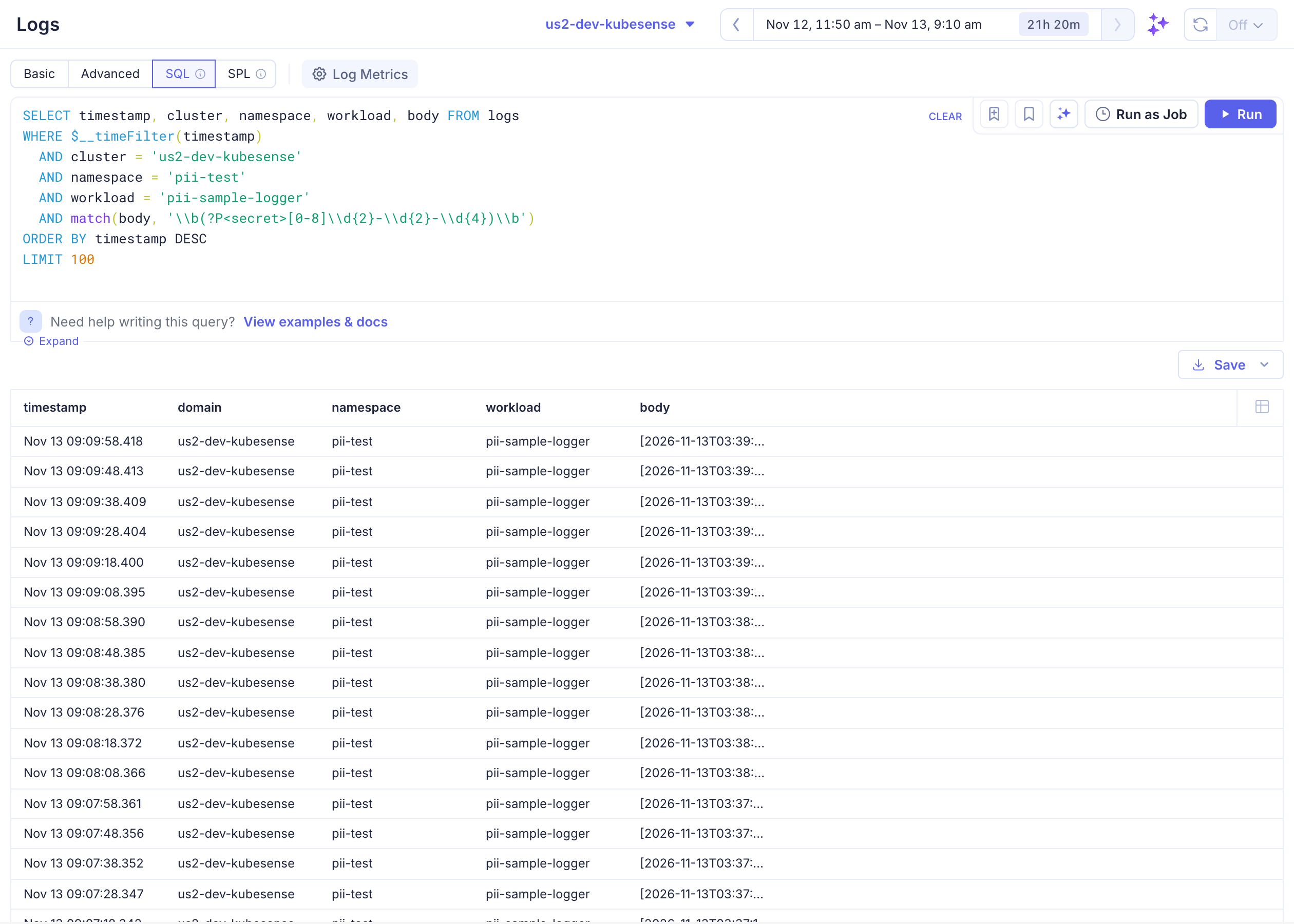
The logs open with your usual Logs access. Values already masked by a Protect rule stay masked; see Revealing Protected Values.