
Datasets
A dataset is a fixed collection of test cases. It is what turns "the answers seem worse since Tuesday" into a question you can actually re-run: the same inputs, the same expectations, before and after a change.
Datasets are the input to Experiments. On their own they store cases; an experiment runs a prompt and model across them.
See Concepts for the object model.
Why use datasets
Three things a dataset gives you that production traffic alone cannot:
- Test cases from real failures. A trace that went wrong becomes a permanent case every future candidate must pass.
- A shared reference. One collection the whole team runs against, instead of everyone testing on whatever prompt they happen to have open.
- Comparability. Two candidates measured on identical inputs. In production the inputs are never the same twice, so a difference in scores tells you nothing on its own.
The datasets list
LLM Monitoring > Evaluation > Datasets lists the datasets for the selected application.
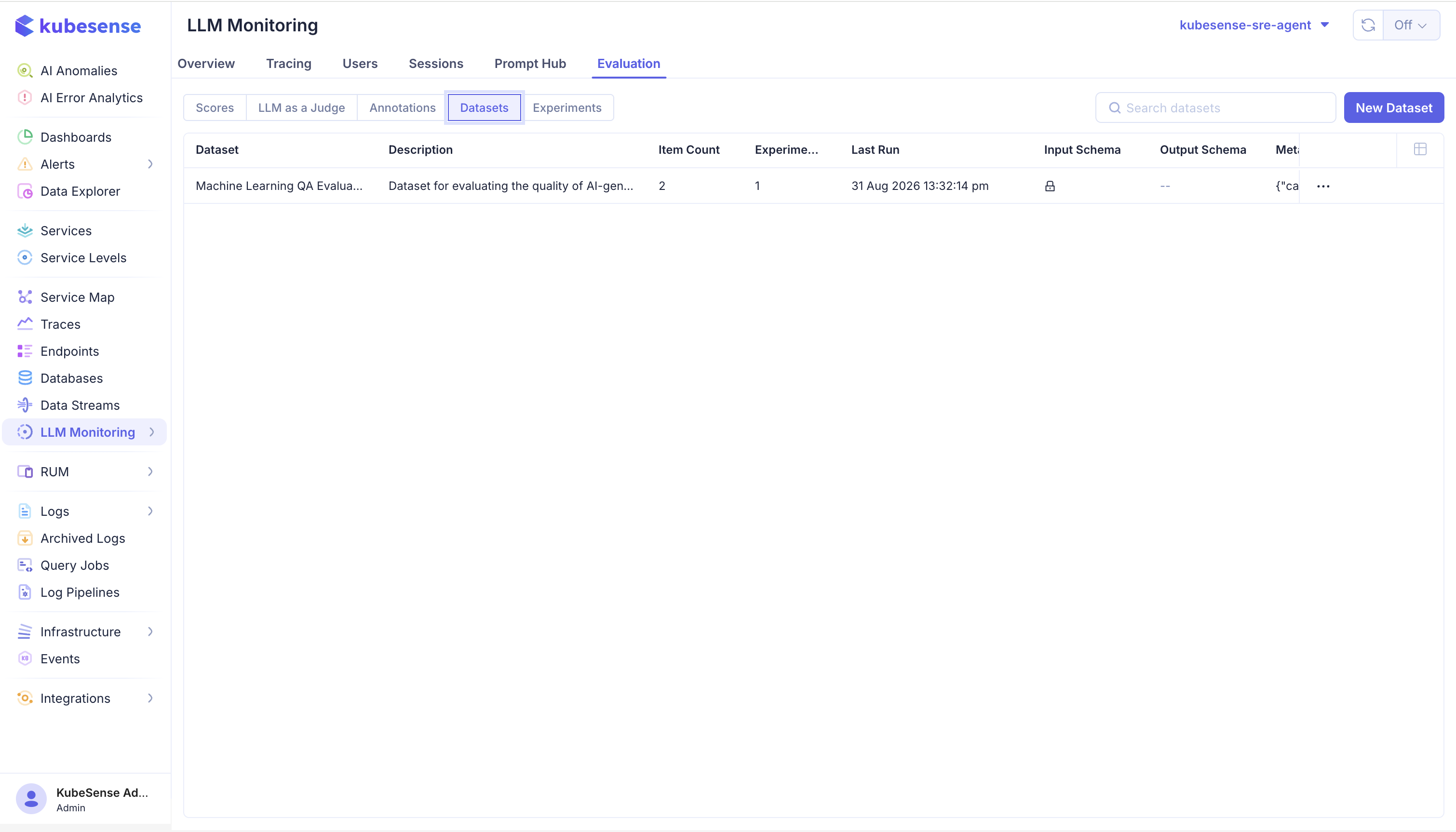
| Column | Meaning |
|---|---|
| Dataset | Name of the collection |
| Description | What it covers |
| Item Count | How many test cases it holds |
| Experiments | How many runs have been executed against it |
| Last Run | When it was last used |
| Input Schema | JSON Schema constraining item inputs, when one is set |
| Output Schema | JSON Schema constraining expected outputs, when one is set |
| Metadata | Free-form context about the collection |
Use New Dataset to create one. A dataset needs only a name; the description, schemas, and metadata are optional and can be added later.
Schemas
Setting an input and expected-output schema makes KubeSense validate items against it. This is worth doing early: schemas keep items well-formed as a dataset grows and is edited by several people, which is exactly when a malformed case would otherwise slip in and quietly fail every run.
A dataset with no schema accepts any JSON, which is fine for a small collection one person maintains.
Dataset items
Open a dataset to see its items.
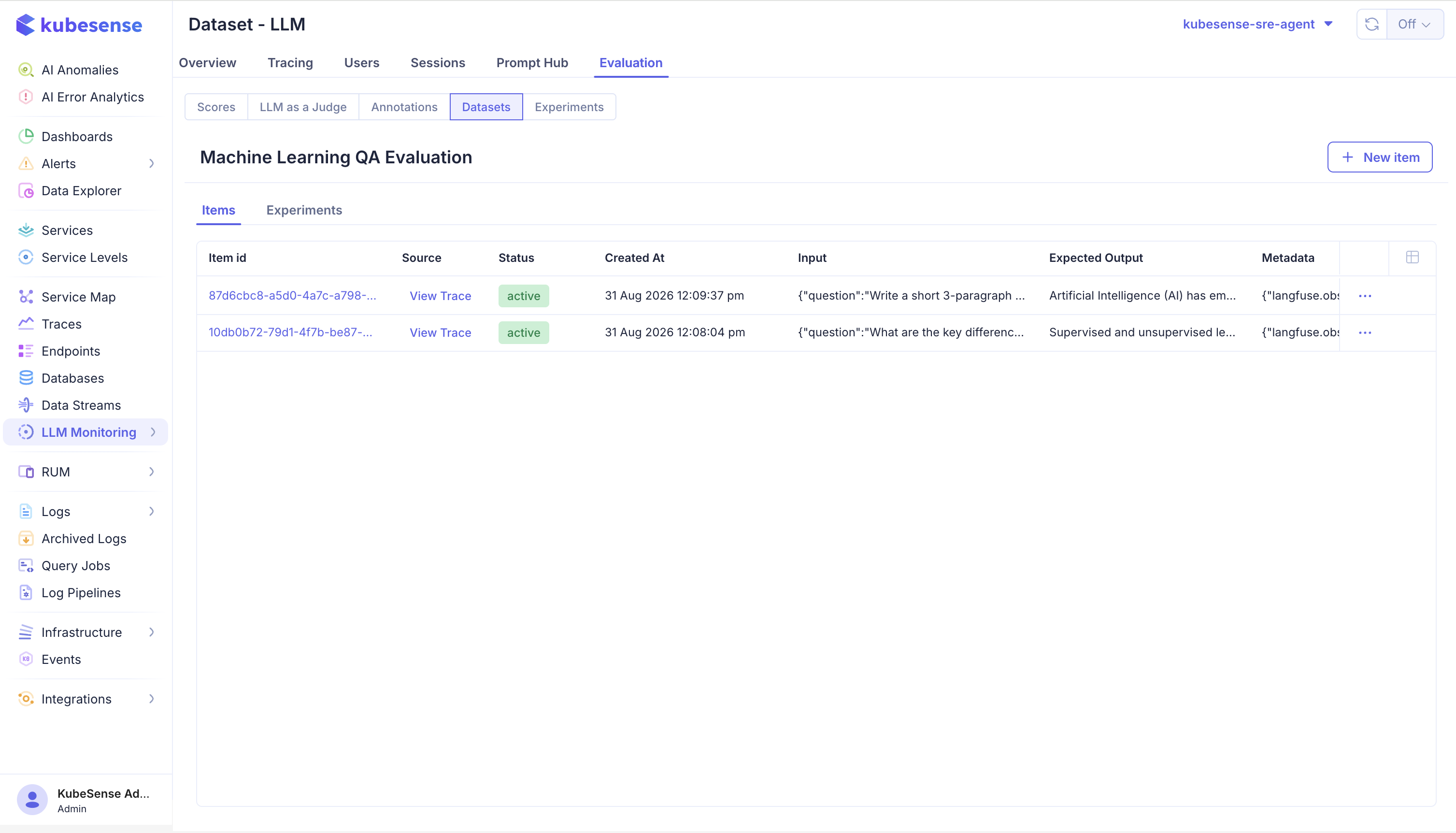
| Column | Meaning |
|---|---|
| Item id | Identifier for the case |
| Source | View Trace when the item came from a real request, linking back to it |
| Status | active, or archived once retired |
| Created At | When the item was added |
| Input | What the application receives |
| Expected Output | What a correct response looks like, when a single answer is definable |
| Metadata | Per-case context, such as which category or customer tier it represents |
The Items and Experiments tabs sit side by side, so you can move from what a dataset contains to what has been run against it without leaving the page. New item adds a case by hand.
Expected output is optional
Many useful cases have no single right answer. For those, leave expected output empty and judge the result with a score instead of a string comparison — an LLM judge attached to the run, or human review of its traces.
Set an expected output where the answer really is well-defined. It makes failures obvious without a judge model, and without a judge's own cost and uncertainty.
The Source column is the point
An item created from a production trace keeps a link back to it. Months later, when a case fails and nobody remembers why it was added, View Trace shows the original request that motivated it. A hand-written case has no such provenance, which is why production-derived cases tend to age better.
Archiving
Items are archived rather than deleted. Historical experiment runs stay interpretable because the items they ran against still exist — a run that scored 8/10 remains readable even after two of those cases are retired.
Archive a case that is genuinely wrong or no longer represents how the application is used. Do not archive a case merely because a candidate fails it.
Build a dataset from production traffic
The most valuable cases are the ones that already went wrong. Open a trace in Traces and use Add to Datasets in the trace detail panel.
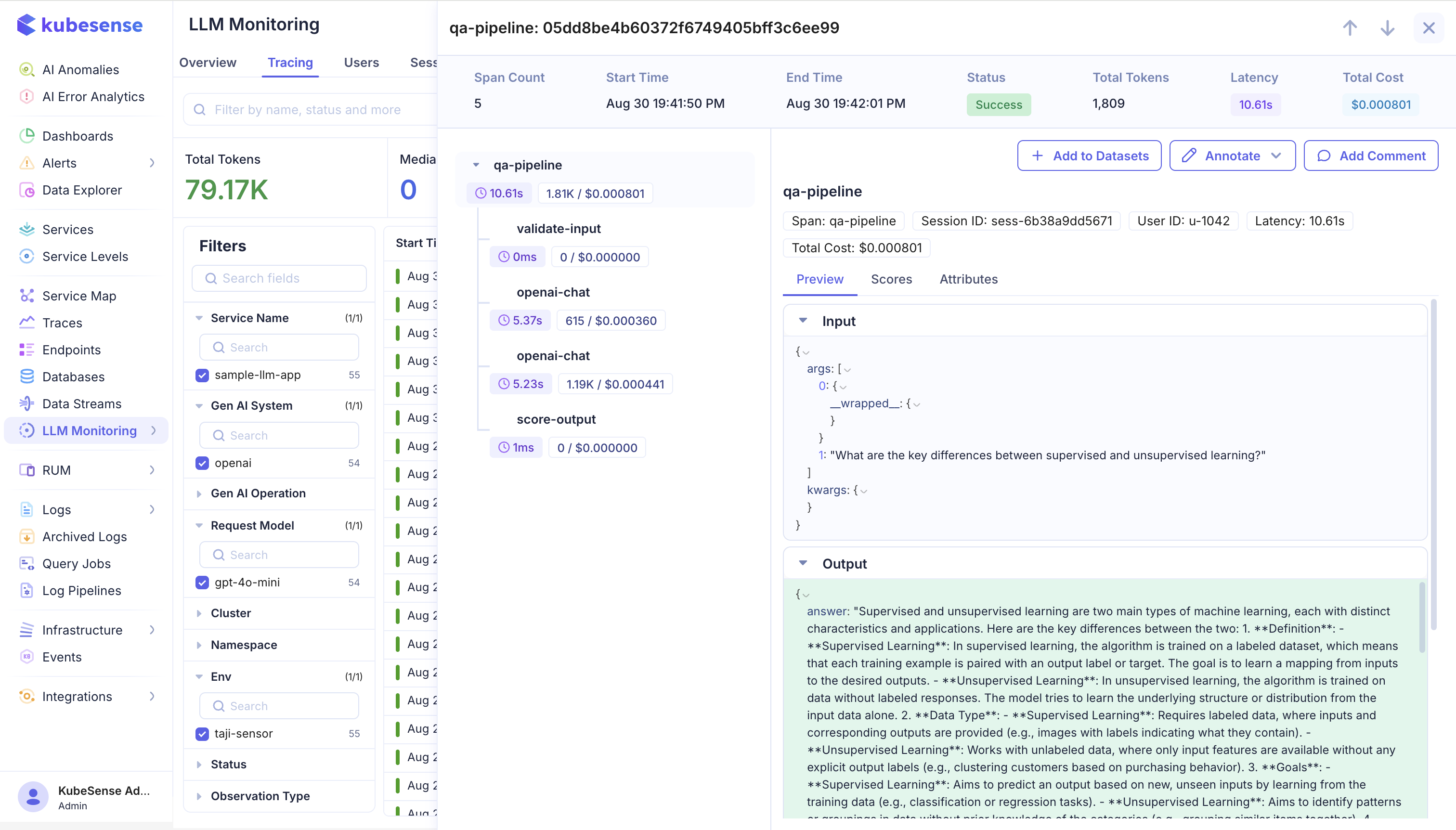
The trace's input becomes the item's input, and the item keeps a link back to the source trace and observation. Set an expected output if the correct answer is well-defined; otherwise save it as-is and score the results instead.
Reviewers can do the same from the annotation screen, so a case found during review becomes a regression test without a detour.
A practical loop:
- Find a failure in Traces, or through a low score.
- Add the trace to a dataset. It becomes a regression test.
- Set an expected output if the correct answer is well-defined, or rely on scores if it is not.
- Run an experiment whenever you change the prompt or model.
What makes a dataset useful
- Representative, not just hard. A dataset of only edge cases makes every candidate look bad and hides regressions on ordinary traffic. Include the common path.
- Stable. Editing items between runs makes runs incomparable. Add cases; avoid rewriting existing ones. Where a case is genuinely wrong, archive it and add a corrected one.
- Small enough to run often. A dataset nobody runs because it costs too much is worth less than a smaller one that gates every change.
- Labelled where labels are cheap. Expected outputs make failures obvious without a judge model.
Where to next
- Experiments — run a prompt and model across the dataset
- Annotations — review traces before promoting them to cases