
Scores
A score is one quality, policy, or business result. Every evaluation method in KubeSense ends by writing a score, so this is the object all of them share — and the reason a judge result, a reviewer's rating, and your own metric can sit on the same axes.
A score attaches to a trace, a single observation, or an experiment run. The session is resolved from the trace, so session filtering works without setting it.
See Concepts for the data model.
How to create scores
There are four routes to a score. They differ in who does the judging, not in what comes out — every one writes the same object, so results from different routes sit on the same axes and can be compared directly.
| Route | Who judges | source | Reach for it when |
|---|---|---|---|
| LLM as a Judge | A model, against a rubric you write | EVAL | You want continuous quality signal on live traffic, at a volume no human could review |
| Experiment evaluators | A model, against a dataset's expected output | EVAL | You are comparing prompts or models before shipping, and you have ground truth to grade against |
| Annotation queues | A person | HUMAN_ANNOTATION | You need ground truth — to establish it, or to check whether your judge agrees with it |
| API | Your own code | API | The signal already exists outside KubeSense: user feedback, a deterministic guardrail, an external eval pipeline |
Most teams end up running three of the four at once: a judge watching production, annotation on a sample of it to keep the judge honest, and API scores carrying user feedback in from the product. Experiments then grade candidates offline before anything reaches production.
Pick the route by what you have. Ground truth to compare against means an experiment or an annotation queue; a rubric but no ground truth means a judge; a signal your own code already computes means the API.
Choosing between the two API endpoints
Both write the same score. They differ in what is in front of them:
| Collector ingest | Application API | |
|---|---|---|
| Endpoint | POST http://<kubecol-host>:31443/v1/llm/scores | POST /llm/applications/<application-id>/evals/scores |
| Auth | None — keep the listener on an internal address | RBAC, same as the dashboard |
| Batching | One object or an array | One score per call |
| Use for | High-volume writes from your services and eval jobs | Tooling that already talks to the dashboard API |
Instrumented services should post to the collector: it is the same path the judge and experiment runs write through, and it accepts batches. Reach for the application API when the caller already holds a dashboard credential. Post a score from your own pipeline has a worked example.
The Scores view
LLM Monitoring > Evaluation > Scores lists every score recorded for the selected application and time range, whatever produced it.
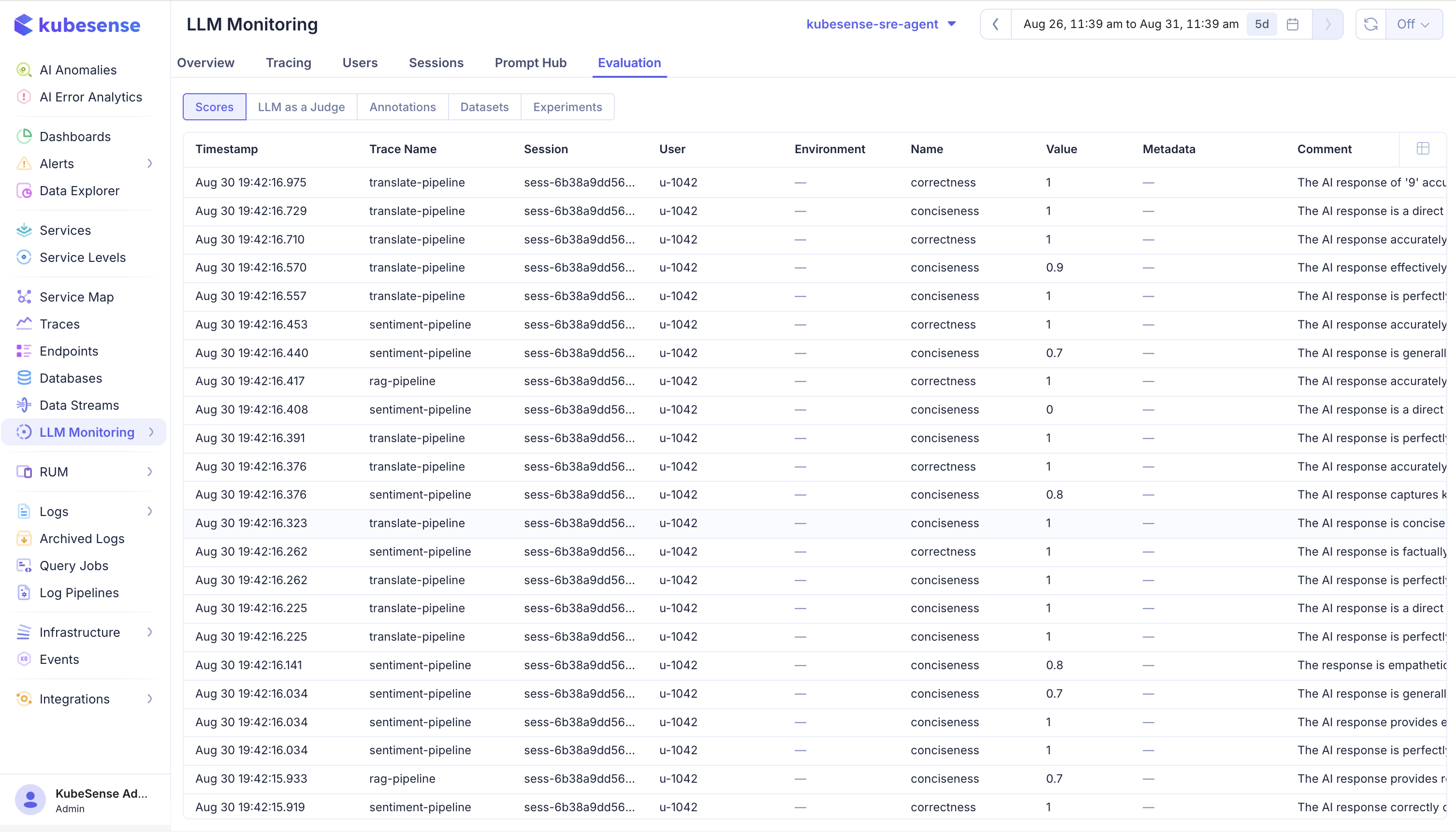
| Column | Meaning |
|---|---|
| Timestamp | When the score was recorded — not when the trace ran |
| Trace Name | The traced operation that was scored, such as translate-pipeline |
| Session | The session the scored trace belongs to, resolved from the trace |
| User | The user the scored trace belongs to |
| Environment | Environment of the scored trace |
| Name | The score dimension, such as correctness or conciseness |
| Value | The recorded value; numeric scores show the number, categorical ones the label |
| Metadata | Any structured context attached when the score was written |
| Comment | Free-text reasoning — for a judge score, why it landed on that value |
Because every method writes here, this is the one place to compare them. Filter to one score name and you see its distribution across production; filter to one trace name and you see every dimension measured on it.
The Comment column is what makes a judge score auditable. A row reading conciseness 0.7 is a number to argue with; the same row with "The AI response is generally concise but includes a redundant clause" is a judgement you can check.
Score sources
The source field records where a score came from:
| Source | Written by |
|---|---|
API | An external pipeline posting to the collector; the default when no source is given |
EVAL | The LLM-as-a-Judge engine or an experiment run |
HUMAN_ANNOTATION | A reviewer working an annotation queue |
Filtering by source is how you separate "the judge thinks this is bad" from "a person confirmed it is bad".
Score data types
| Data type | Value stored | Use for | Annotation control |
|---|---|---|---|
NUMERIC | A number, bounded by the config's min and max | Continuous measurements such as helpfulness or accuracy | A number input |
CATEGORICAL | The label, plus the numeric value defined for that category | Fixed judgements such as Bad, Good, Excellent | A dropdown of the labels |
BOOLEAN | 1 or 0, alongside the label True or False | Pass/fail checks — was this correct, did it follow policy | A True/False toggle |
Because a categorical config carries a numeric value behind each label, categorical results can still be averaged and charted rather than only counted. The last column is how reviewers enter each type by hand; a judge or an API caller writes the same values programmatically.
Create a score config
Open Settings, select the LLM tab, choose Score Configs, and select Add Score Config. Select the KubeSense application from the Project selector before creating the configuration.
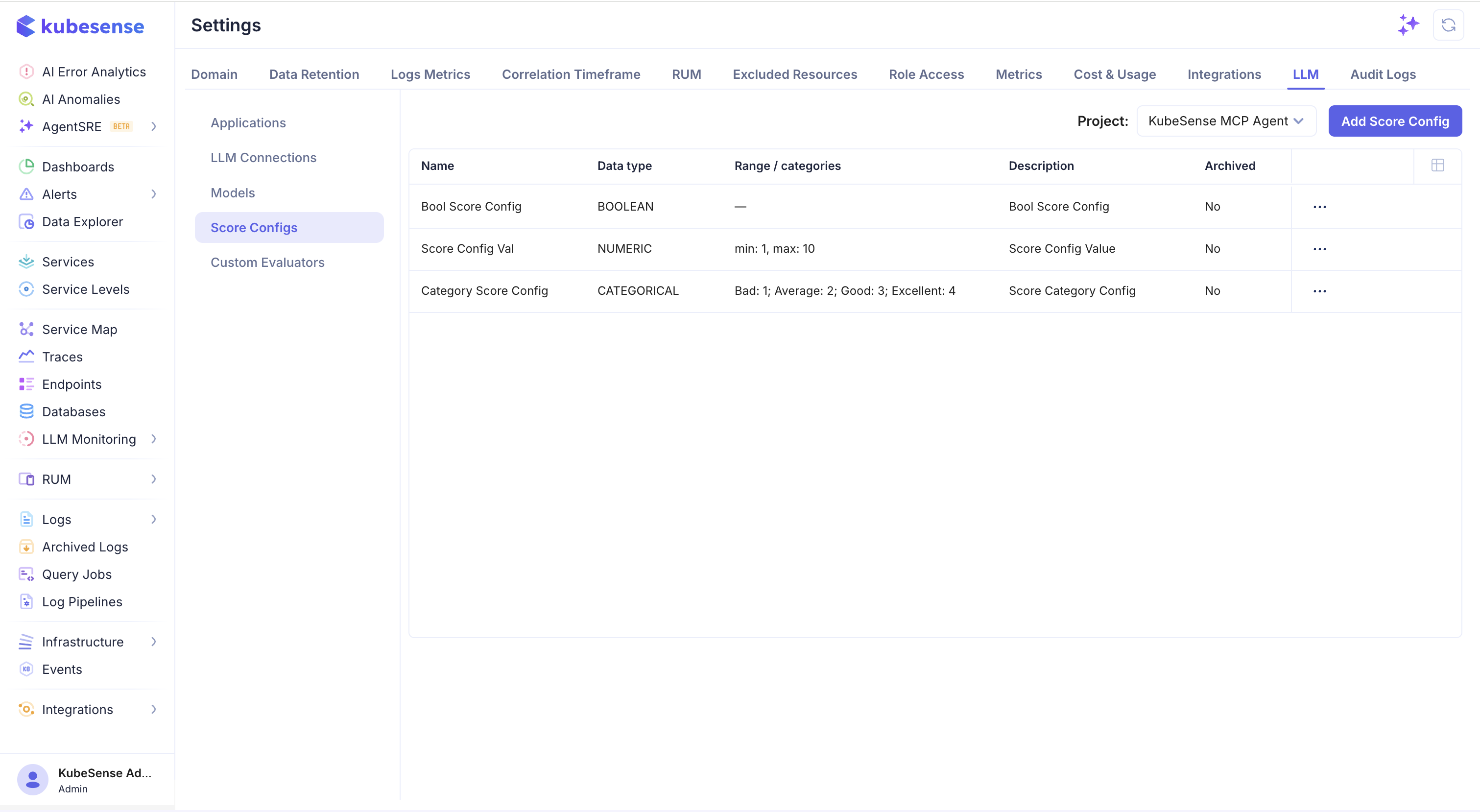
Enter a descriptive name and choose a data type:
| Data type | Use for | Configuration |
|---|---|---|
NUMERIC | Continuous quality measurements such as helpfulness or accuracy | Optional minimum and maximum values |
CATEGORICAL | Fixed labels such as Bad, Good, or Excellent | Define the allowed categories and their values |
BOOLEAN | Pass/fail or yes/no checks such as toxicity detection | No range is required |
Add an optional description so reviewers and evaluator authors know what the score represents. Keep the name stable after it is used in dashboards, annotations, or evaluators.
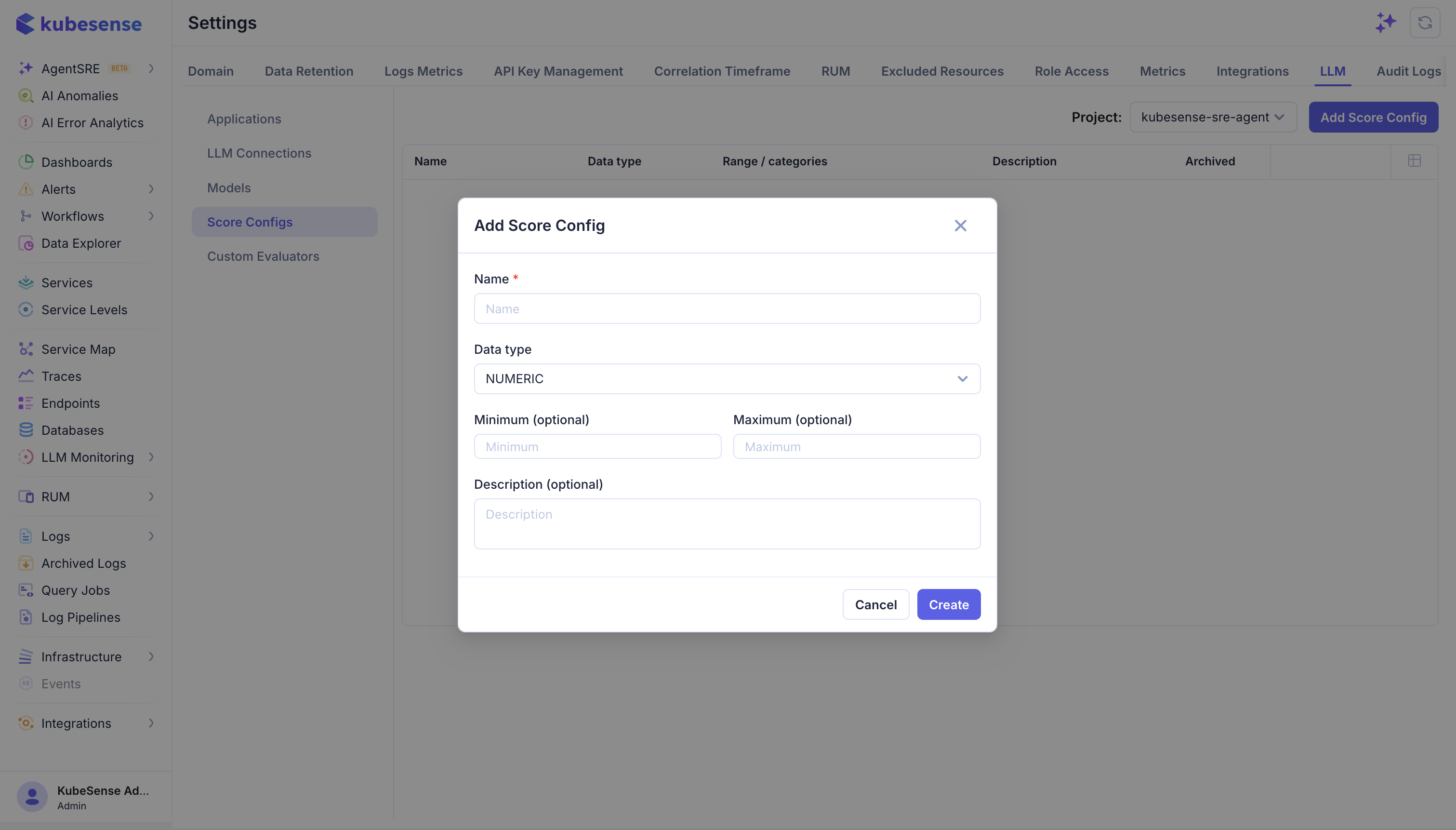
Create a separate score configuration for each evaluation dimension. For example, use Answer Relevance for whether the response addresses the question and Hallucination for whether it contains unsupported claims. Do not combine unrelated dimensions into one score.
Post a score from your own pipeline
If your quality checks run outside KubeSense, post the result straight to the collector:
curl -X POST "http://<kubecol-host>:31443/v1/llm/scores" \
	-H "Content-Type: application/json" \
	-d '{
		"application_id": "<application-id>",
		"trace_id": "<trace-id>",
		"observation_id": "<span-id>",
		"name": "answer_relevance",
		"value": 0.92,
		"data_type": "NUMERIC",
		"source": "API"
	}'
Use string_value instead of value for CATEGORICAL and BOOLEAN scores. The endpoint accepts a single object or an array, so a batch job can post many at once. Omit observation_id to attach the score to the trace as a whole.
Match name and data_type to an existing score config so external results sit in the same vocabulary as everything else.
User feedback
There is no separate feedback object. Record a thumbs-up, a star rating, or an accepted-suggestion signal as an API score, with a score config defining what the value means:
{ "name": "user_feedback", "string_value": "thumbs_up", "data_type": "CATEGORICAL", "source": "API" }It then filters and aggregates alongside judge and reviewer scores, which is what lets you ask whether the judge agrees with your users.
Scores and tags are different things
Both attach metadata to a trace, and they are easy to confuse:
| Score | Tag | |
|---|---|---|
| Answers | How good was it? | What kind of thing is it? |
| Value | Numeric, categorical, or boolean | A label, no value |
| Set when | After the fact, by a judge, reviewer, or pipeline | At trace time, by the application |
| Use for | Quality, policy, and business outcomes | Slicing traffic by feature, tier, or experiment |
A tag says a trace came from the checkout flow. A score says the answer it produced was wrong. Use tags to find the traffic you care about, scores to measure it.
Update and delete
Scores are versioned rather than overwritten. An update or a delete is stored as a new record, and readers see only the newest non-deleted version of each score. This means a corrected judgement replaces the original in every view without destroying the audit trail.
Where scores appear
- The Scores tab on a trace or observation in Traces
- The Scores tab on a user in Users
- Aggregated per run in Experiments
Where to next
- LLM as a Judge — produce scores automatically
- Annotations — produce scores from human review